In this tutorial, we’ll build a simple inventory app connected to an external Postgres database.
Follow along to learn how to use an external database in an Anvil app - we’re using a standard SQL database (Postgres) but the same approach would work for other databases such as MySQL, MongoDB or Redis.
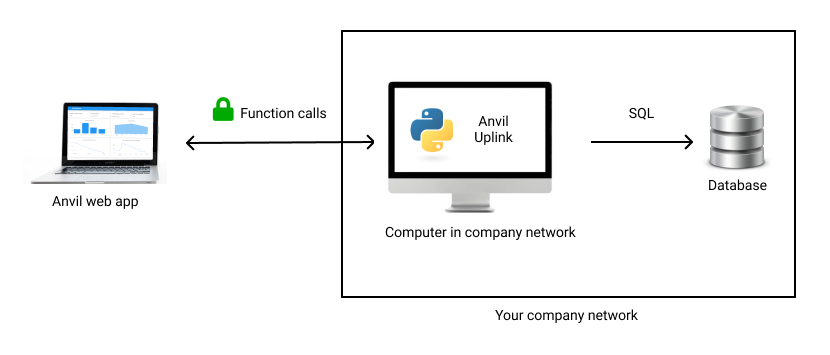
We’re going to connect an Anvil web app to an external SQL database
Chapters
In this tutorial, you'll:Query an external database with Python
Query an external database from an Anvil app and get its contents as Python objects.
Build the UI to display your inventory
Display your inventory items in an interactive table.
Add, Edit and Delete your items from your app
Edit your database rows from your web app, add new ones, and delete existing ones.