

What is Version Control?
As we write software, it’s good to keep track of the changes we’ve made and previous versions of our software. This is the job of Anvil’s version control system. It lets you:
-
Track changes that you’ve made to your code
-
Revert to a previous version when you’ve made a mistake
-
Collaborate with others, by working separately and merging your changes
-
Publish one version of your app while you’re editing another
How does it work?
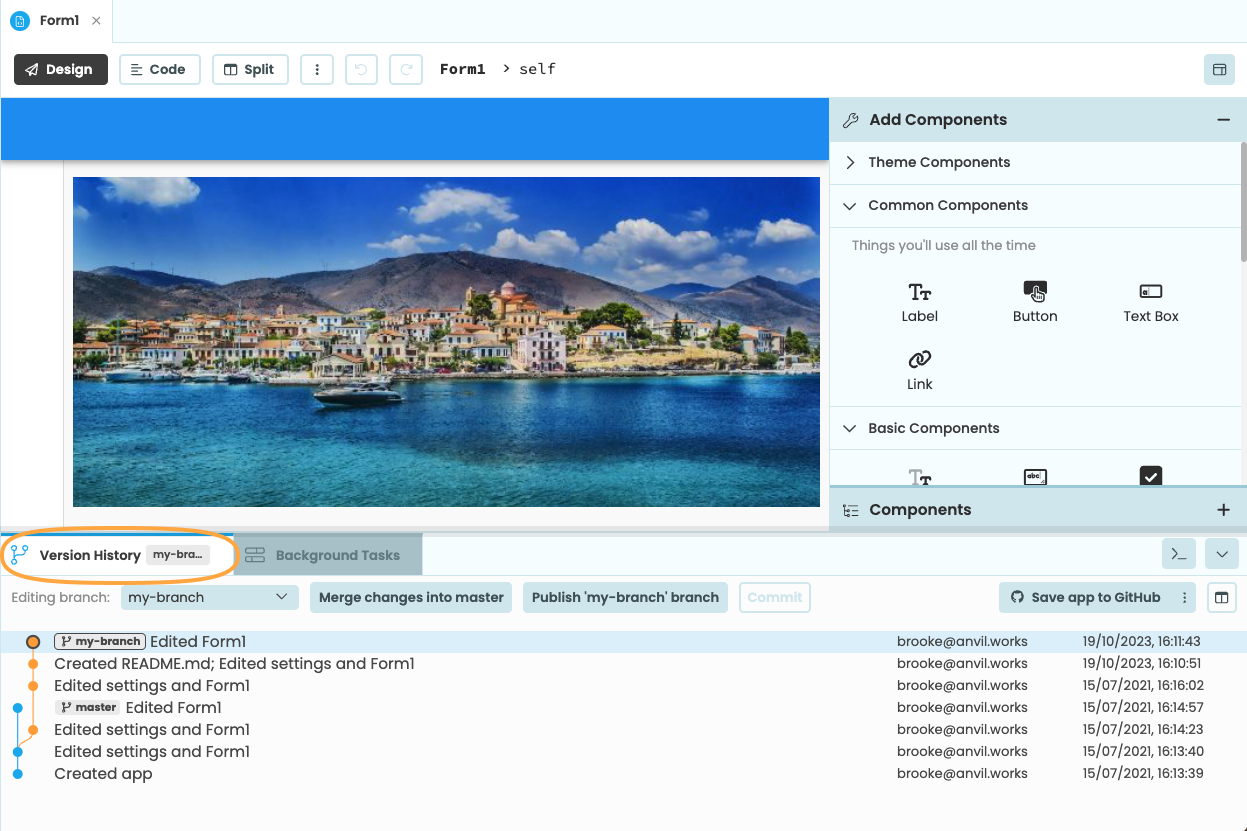
Anvil’s version control is based on Git, the industry standard version control system, but the best way to understand it is to see it in action. Click the Version History tab at the bottom of the Editor to see the history of your app:
Commits
Each blob in the Version History is a commit: a snapshot of your entire app at a point in time. Commits are linked to their parents – the previous version of the app you started from when you made this change. Anvil displays commits in reverse chronological order, so child commits (newer versions) appear above their parents (older versions).
If you click on a commit, Anvil will compare that snapshot of your app with its parent, and show you what changed between the two. For example, here, we have added a component to Form1, and changed the name of our app:
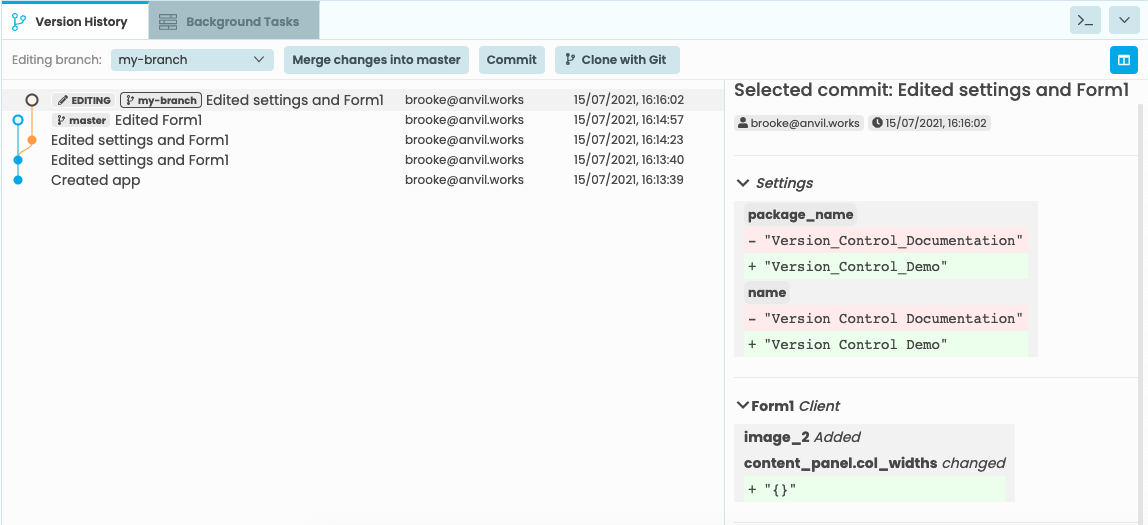
Anvil creates a new commit each time you change your app. (If you change your app repeatedly in a short time, Anvil “squashes” all the changes into one commit – more on this later.)
Branches
You can also create branches in your app. These are labels that point to a particular commit. Your app starts with a single branch, called master. You can choose which branch you’re editing from the Editing branch dropdown. When you’re editing a branch, that means this branch will move as you edit your app, to point at each new commit as you create it.
Merging
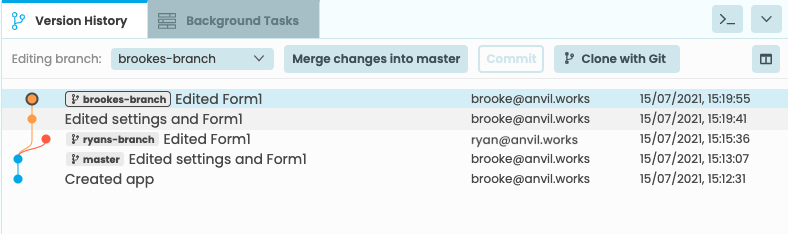
This is version control’s killer feature: It allows you to edit code at the same time as other developers without getting under each other’s feet. The way this works is for each developer to work on a different branch, creating diverging commit histories from the same parent:
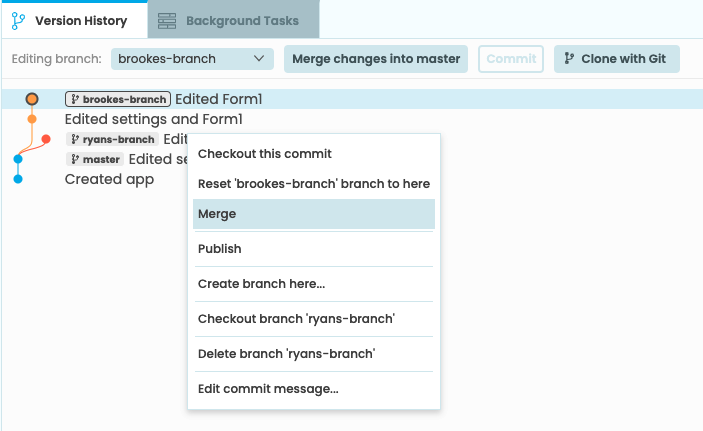
Then, you can merge those changes. Right-clicking on a branch will bring up a menu with more options. From this menu, you can merge branches into other branches.
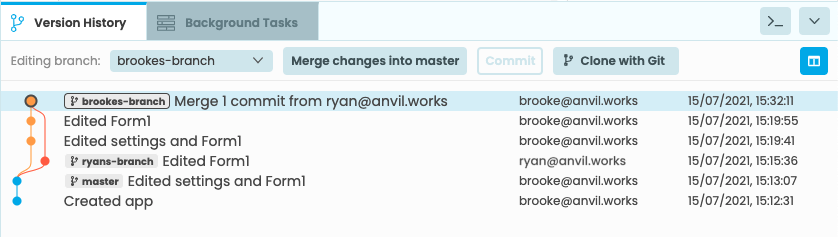
Anvil will find the common parent, and use that to work out what has changed between that starting point and each of the commits you’re merging.
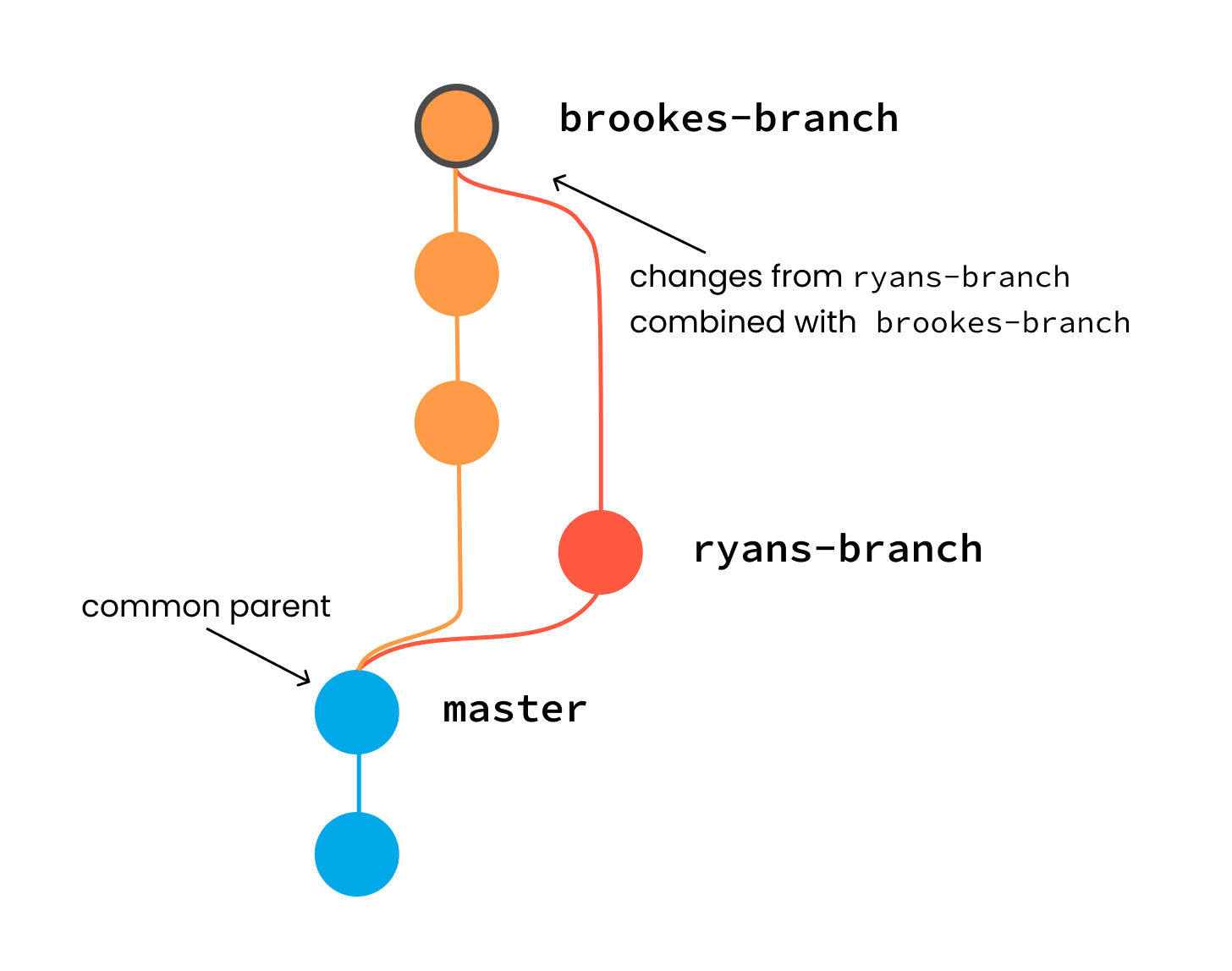
Then, it will combine both sets of changes:
Conflicts
Of course, sometimes Anvil can’t automatically combine both sets of changes. For example, if both sides have edited the same line of code, they will conflict, and you will need to sort them out by hand before completing the merge.
You can read more about resolving conflicts here.
Do you still have questions?
Our Community Forum is full of helpful information and Anvil experts.