

Faster Storage
Faster Storage is a new storage engine for Data Tables that offers faster queries and better parallelism than the previous generation of Data Tables. Each Data Table in your app uses either the legacy or new Faster Storage engine.
This page explains the differences between the two storage engines, and how to migrate existing apps.
Creating Faster Storage Tables
By default, newly created tables use the legacy storage table. To create new tables using Faster Storage, open your app’s Settings, select the Data Tables page, and enable “Create new tables in Faster Storage mode”:
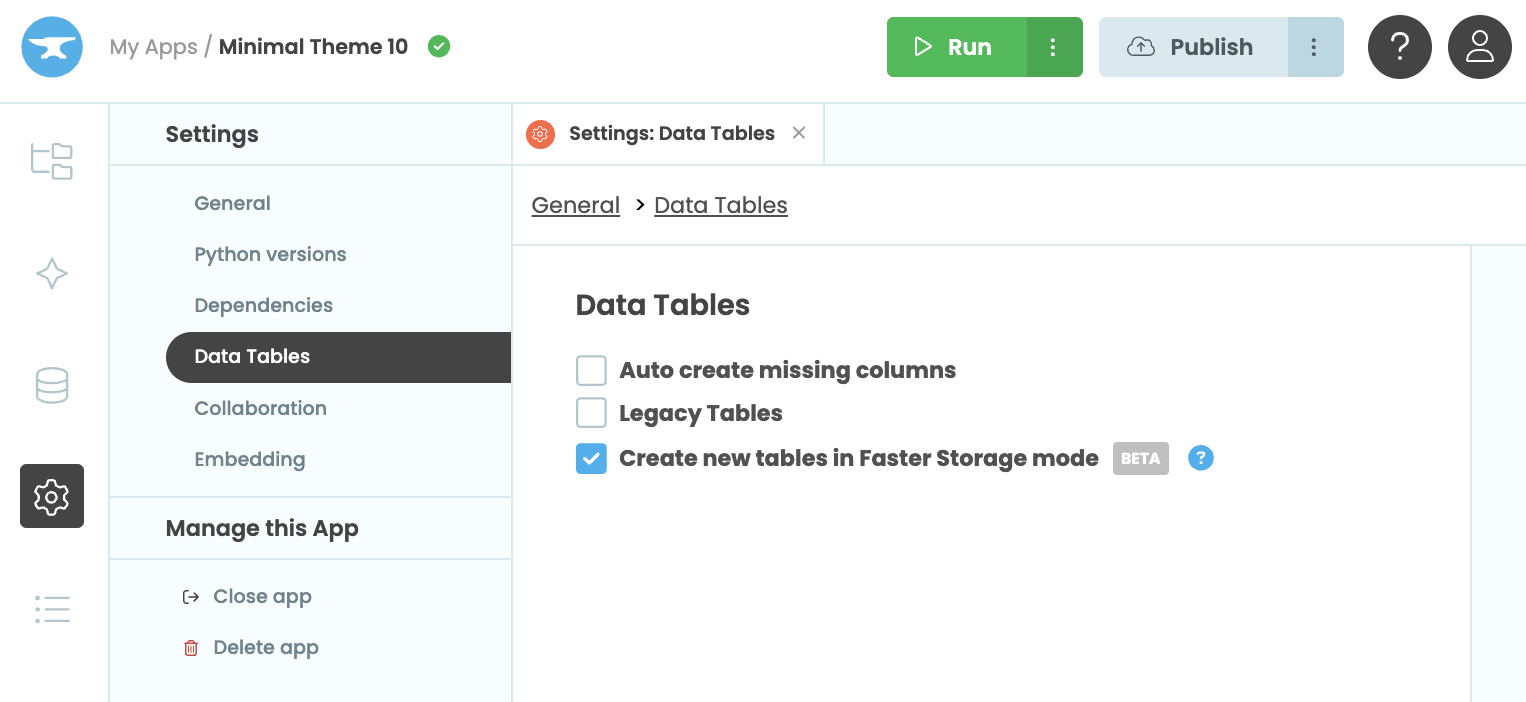
Enabling Faster Storage for newly created tables in App Settings
Once enabled, every new table you create, including tables created by cloning apps, cloning databases, or applying schema changes, will use the Faster Storage engine. Tables that use Faster Storage are marked with this icon: .
Since existing tables continue to use the storage engine they were created with, this setting only affects new tables.
Migrating existing apps to Faster Storage
Because you cannot convert existing Data Tables to the new storage engine, migrating an app requires cloning its database into new tables that use Faster Storage.
First, enable Faster Storage (see above), then clone your database. There are two ways to do this:
-
If you’re on the Business Plan or above, you can clone your database to create a new database that uses Faster Storage.
-
Otherwise, you can clone your app to create a new app with the same data.
Differences between engines
Both Faster Storage and legacy storage use the same Data Tables API, so your existing code will work with either engine. However, there are a few differences:
Accelerated Tables are required
To use Faster Storage, Accelerated Tables must be enabled for your app.
Manual indexes
Legacy Data Tables automatically create indexes for equality lookups but do not support manually managed indexes.
Faster Storage supports manually managed indexes. See Indexes for details.
On-delete behaviour
Legacy tables do not support configurable on-delete behaviours for link columns.
With Faster Storage, you can configure what happens when a referenced row is deleted. See Links Between Tables for more details.
‘Link-to-multiple’ columns cannot be None
In ’link-to-multiple’ columns, the legacy storage engine preserves the difference between None and an empty list ([]).
Faster Storage always returns an empty list ([]). If you set the value of a ’link-to-multiple’ column to None, it will have the same effect as setting it to [].
Do you still have questions?
Our Community Forum is full of helpful information and Anvil experts.