

HtmlComponent
You can add native HTML elements to a Form’s HTML from HTML view. Anvil represents these native HTML elements as HTMLComponents that you can then edit and interact with from the drag-and-drop designer and Python code.
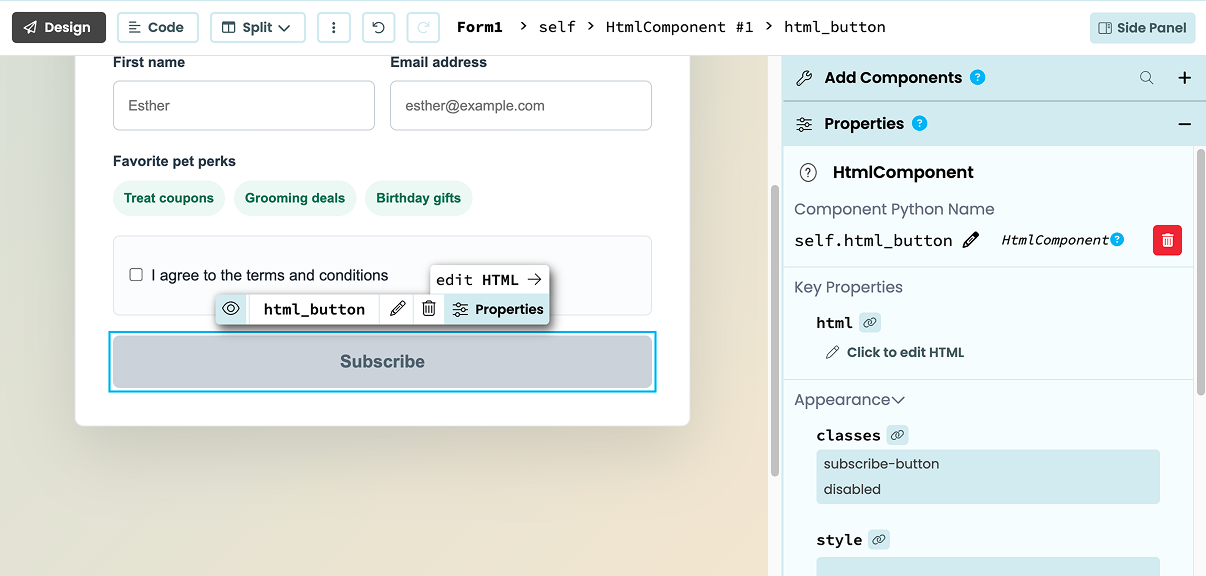
An HTMLComponent selected in the Anvil Editor
The HTMLComponent has classes and style properties for styling the component with CSS and an attrs property for reading and updating its HTML attributes. You can also access the component’s underlying DOM node to use its JavaScript API.
Referencing HTMLComponents from Python Code
You can give an HTMLComponent a Python name from the Properties Panel or the Object Palette.
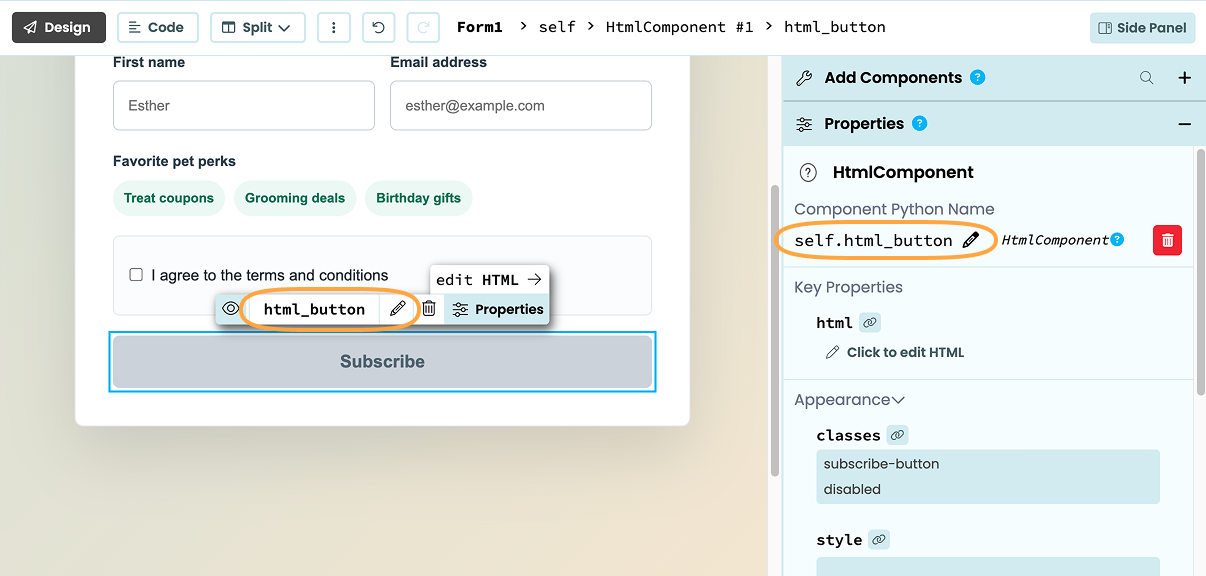
You can also give it an anvil:name attribute in HTML view:
<button anvil:name="html_button">
  Subscribe
</button>
You can then reference the component in Python using this name. For example:
self.html_button.visible = FalseWhen you add a show or hide event to an HTML Component from the Properties Panel, Anvil automatically gives it an anvil:name attribute.
Styling HTMLComponents
You can use CSS to style HTMLComponents via the classes and style properties.
The classes property
The classes property accepts a list of CSS class names as defined in your app’s theme.css. You can set this property from the Properties Panel with one class per line:
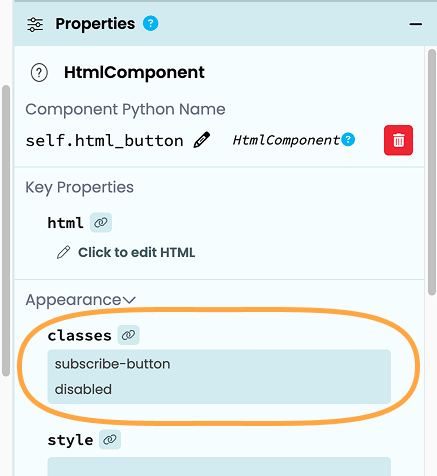
Setting classes from the Properties Panel
You can also set the classes property in Python code as a list of strings:
self.html_button.classes = ["subscribe-button", "disabled"]You can also add or remove classes using the add and remove methods, or by setting the class name to True or False using bracket notation:
# add a class
self.html_button.classes.add("rounded")
# is equivalent to
self.html_button.classes["rounded"] = True

# remove a class
self.html_button.classes.remove("rounded")
# is equivalent to
self.html_button.classes["rounded"] = False
If you want to check if an HTMLComponent has a particular class, you can use bracket notation or query if the string is in the component’s classes:
print(self.html_button.classes["rounded"])
# is equivalent to
print("rounded" in self.html_button.classes)
# will return True or False
The style property
The style property takes a string and sets it as the style property of the HTML element. This can be set from the Properties Panel or in Python code.
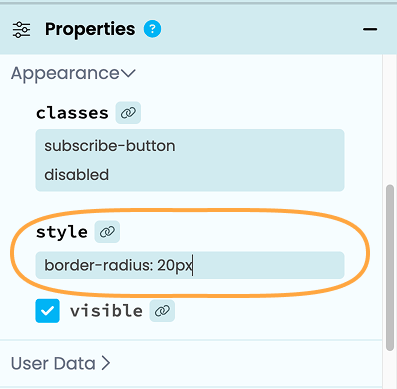
Setting the style property
from the Properties Panel
self.html_button.style = "border-radius: 20px"You can also set and look up styles using bracket notation:
# set the border radius of the button
self.html_button.style["border-radius"] = "20px"

# check the border-radius
print(self.html_button.style["border-radius"])
# 20px
Managing HTML attributes
You can read and update an HTMLComponent’s HTML attributes using the attrs property in your Form code. For example, you can set its id, href, or a boolean attribute like disabled.
The attrs property returns an anvil.Attrs object that provides access to the HTML attributes on the component’s root element. Changes you make through it update the HTML element.
You can’t use attrs to access the class or style attributes. Use the classes and style properties instead. You also can’t access Anvil’s internal attributes (anvil:* and data-anvil-*). Trying to read or set any of these through attrs raises a TypeError.
Setting HTML attributes
attrs provides dictionary-like access, so you can use square brackets to set an attribute:
self.html_button.attrs["disabled"] = True
self.html_button.attrs["title"] = "Subscribe to our newsletter"
You can also assign a dictionary to attrs to replace all of the component’s managed attributes:
self.html_button.attrs = {
  "id": "subscribe_button",
  "data-count": 3,
  "draggable": False,
  "title": "Subscribe",
}
Use attrs.update() to update attributes while keeping the other attributes in place. It accepts a dictionary, keyword arguments, or both.
self.html_button.attrs.update({"data-count": 4}, title="Subscribe to our newsletter")attrs does not convert underscores or camelCase to hyphens. It trims leading and trailing whitespace, and the browser converts HTML attribute names to lowercase. For example, attrs["dataCount"] sets an attribute named datacount, not data-count.
String values are written as-is, boolean values are written as "true" or "false", and other values are converted to strings.
Reading HTML attributes
You can read an attribute by its name and use in to check whether an attribute is present:
# read an attribute
if "title" in self.html_button.attrs:
  print(self.html_button.attrs["title"])
Reading an attribute that is not present returns None. An attribute that is present but has an empty value returns "".
Removing HTML attributes
Remove an attribute by setting it to None or using del.
# remove an attribute
self.html_button.attrs["disabled"] = None

# remove an attribute using del
del self.html_button.attrs["title"]

# remove all managed attributes
self.html_button.attrs = None
HTML boolean attributes, such as disabled and hidden, take effect whenever they are present, even when their value is "false". This means setting self.html_button.attrs["disabled"] = False won’t enable the button. Set boolean attributes to None or use del to remove them.
The HTMLComponent at runtime
At runtime, Anvil doesn’t create a separate HtmlComponent for every individual HTML element. Instead, it creates one HtmlComponent for the first HTML element it encounters, which contains that element and all the HTML inside it, until it hits:
- an
<anvil-component>tag, or - an HTML element with an
anvil:attribute, such asanvil:name
When an HTML element has an anvil: attribute, that element becomes its own HtmlComponent.
Do you still have questions?
Our Community Forum is full of helpful information and Anvil experts.