

Version Control and Collaboration
The Anvil Editor has built-in version control to help you track changes made to your app and collaborate with other developers
Within Anvil, you can create branches, commit changes and resolve conflicts. Every Anvil app is a Git repository, and you can also connect to external Git repositories, such as one hosted on GitHub.
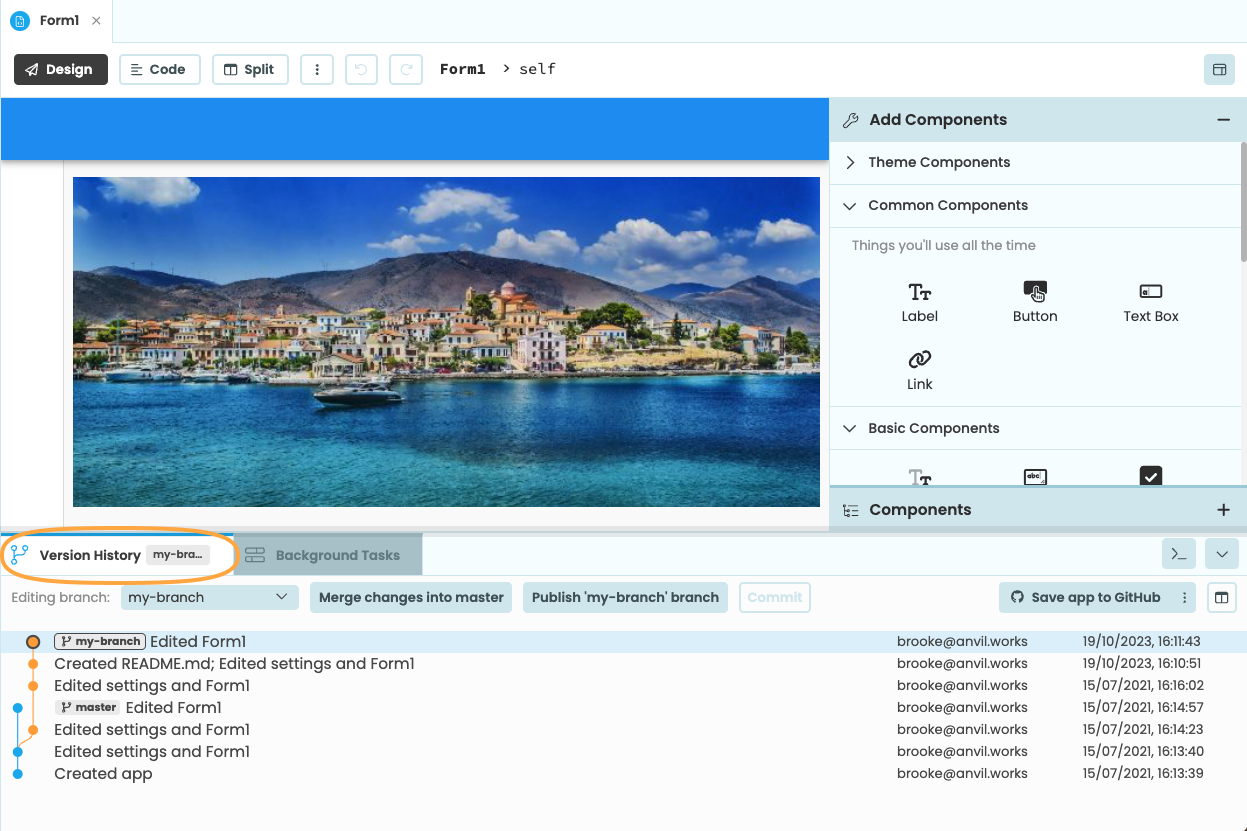
The Version Control tab in the Anvil Editor
Want to get started quickly on collaborating with other developers? Check out our Quickstart guide:
What is version control?
Learn more about how version control works and why it’s important.
Using version control in Anvil
Version control is built-in to the Anvil Editor. Find out more about how Anvil’s versioning system works and how to use it effectively.
Adding collaborators
If you are on the Business Plan or above, you can give other Anvil developers access to your app for easier collaboration.
Connecting to GitHub and other Git remotes
Every Anvil app is a Git repository and you can connect your app to other git remotes.
Workflows for collaboration
If you’re working in a team, it’s a good idea to adopt a standard workflow so you can collaborate smoothly. Here, you can find a list of suggested workflows suitable for small teams and large enterprises alike.
Do you still have questions?
Our Community Forum is full of helpful information and Anvil experts.