

Component Properties
Components have properties that determine how they look and how they behave. Properties can be modified in the Anvil Editor using the Properties Panel (on the right below the Toolbox):
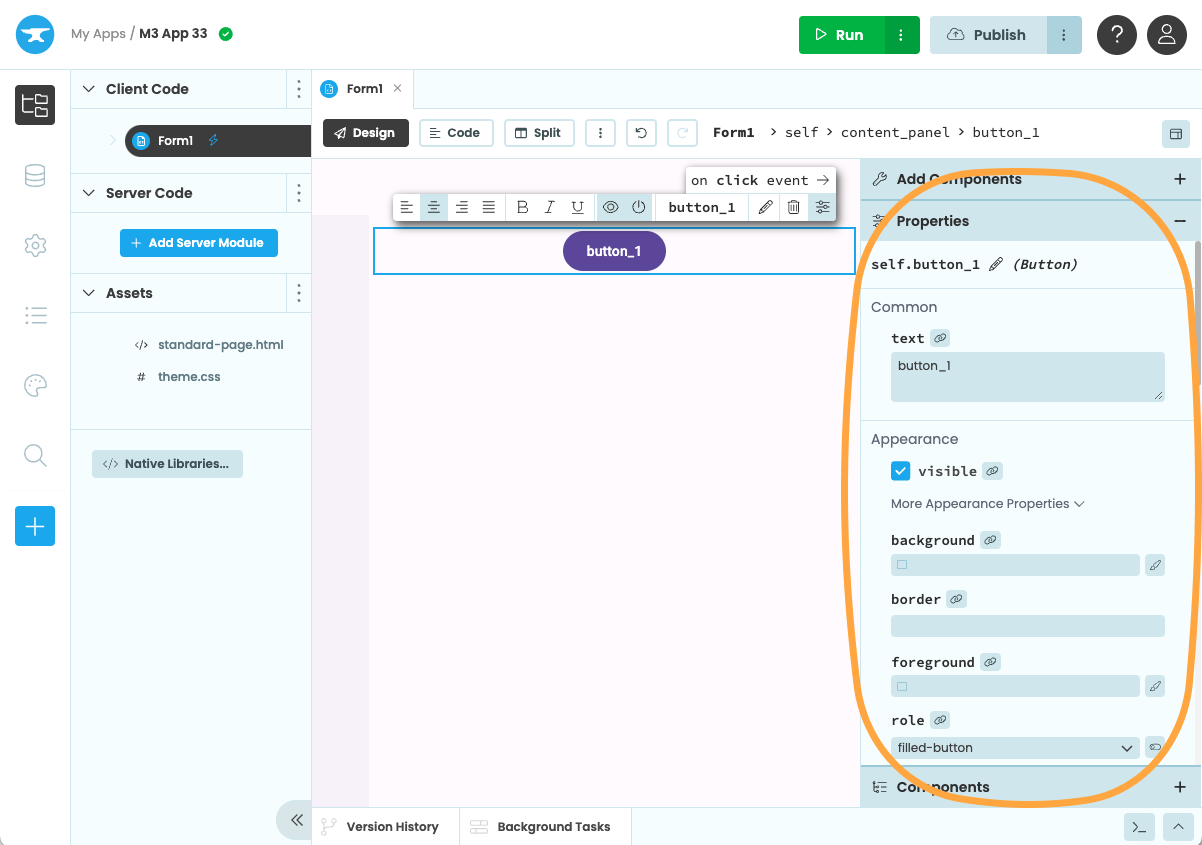
The Properties Panel allows you to edit a component’s content, appearance and behaviour.
You can also change some of the most common component properties from the Object Palette, which will show up above the component when you select it.
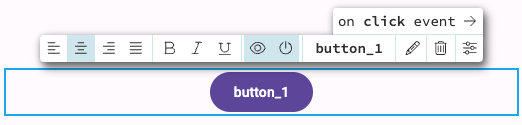
The Object Palette allows you to quickly modify
a component’s most common properties
Working with properties
You can adjust a component’s appearance by setting a property:
self.button_1.text = "Click me"If you’re creating components in code, you can pass in initial values for the properties when you create the component, for example:
self.my_button = Button(text="Click me")You can also read data from a component by reading properties (for example the text property of a
TextBox component contains whatever text the user has entered in the box).
latest_user_input = self.text_box_1.textThe properties of all Anvil’s built-in components can be found in the API Reference.
Container Properties
When a component is inside a container, it will have container properties that control the relationship between the component and the container it is in. For example, you can set the width, x-position and y-position of a component in an XYPanel.
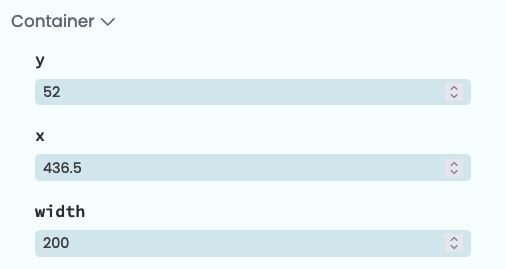
The Container Properties for a component inside an XYPanel.
Container properties can also be passed as keyword arguments when adding a component to a container in code:
self.xy_panel_1.add_component(my_button, x=42, y=128)Properties and Form initialisation
Each Form contains this line of code:
# Set Form properties and Data Bindings.
super().__init__(**properties)
When this line runs during Form initialisation, the properties you set in the Properties Panel are applied to your components.
Forms also have properties. When no components are selected, the Properties Panel will display the current Form’s properties.
The tag property
Every component also has a property called tag, which is for you to store any extra data you like. By default, it’s an empty object that you can store attributes on:
self.my_textbox.tag.foo = "bar"You can also keep a component’s properties in sync with your data by using Data Bindings. A Data Binding associates a property of a component with a single Python expression, which saves you from writing similar assignments manually. Learn more about Data Bindings.
Do you still have questions?
Our Community Forum is full of helpful information and Anvil experts.