

UI Elements
In Anvil, every part of your user interface is a component. Components are Python objects you can create, configure and control entirely in Python. Components range from simple display elements like Labels and Images to interactive ones like Buttons and TextBoxes. Alongside components, Anvil also gives you visual and interactive elements you can control entirely in code, like alerts, notifications or loading indicators.
For the full list of available components, see Anvil Components.
Adding Components
You can build your UI by adding elements to a Form in Design view, HTML view or Code view.
In Design view, you can drag and drop components onto the Form. In HTML view, these components appear as <anvil-component> tags.
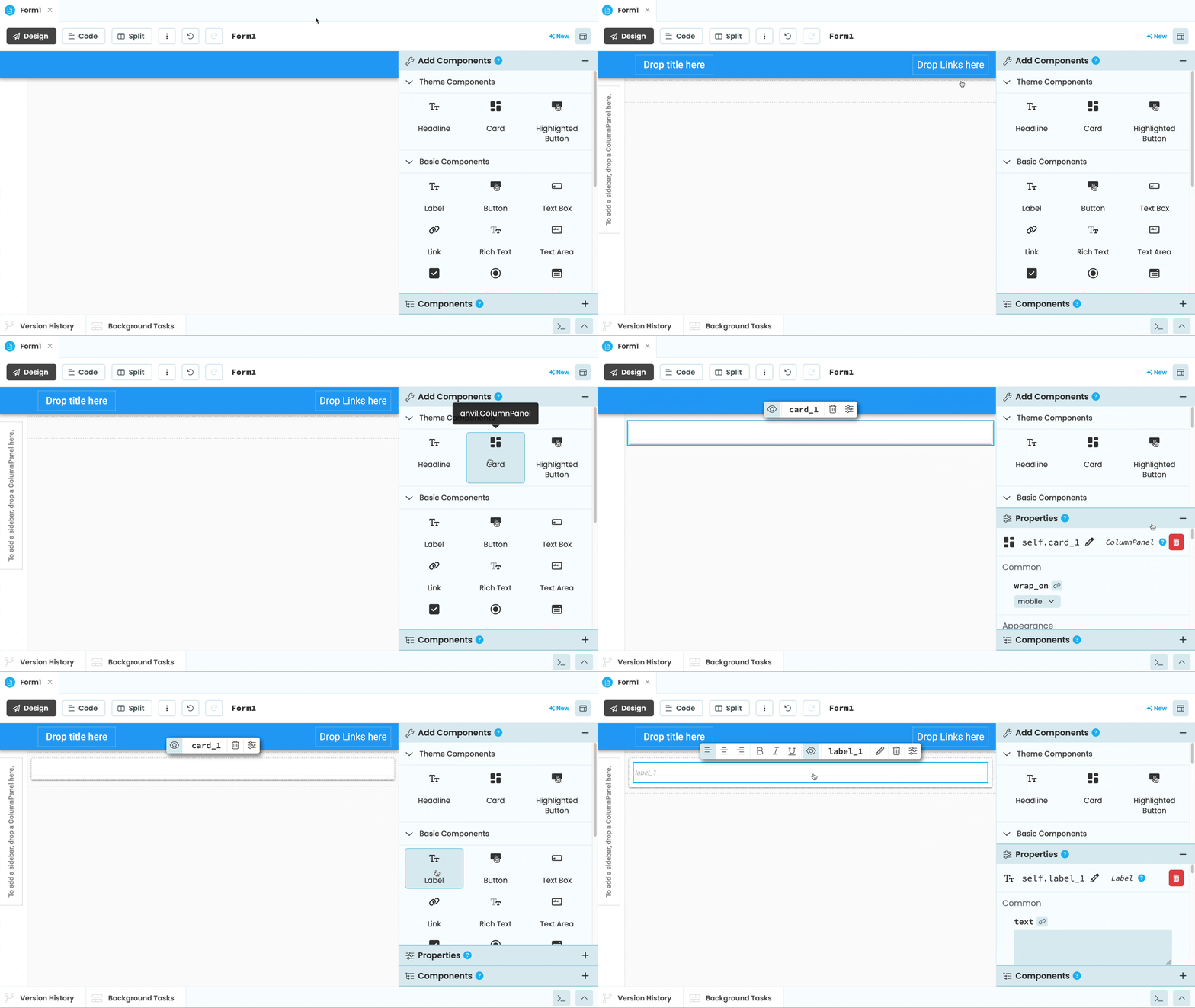
Dragging and dropping components to make the UI of an Anvil app
In Code View, you can create components in code and add them to a Form:
class Form1(Form1Template):
    # ... Somewhere inside Form1 ...
    self.button_1 = Button(text="Click me")
    self.add_component(self.button_1)
Properties
Every component has properties that control how it looks and behaves. You can set these in the Properties Panel in the editor:
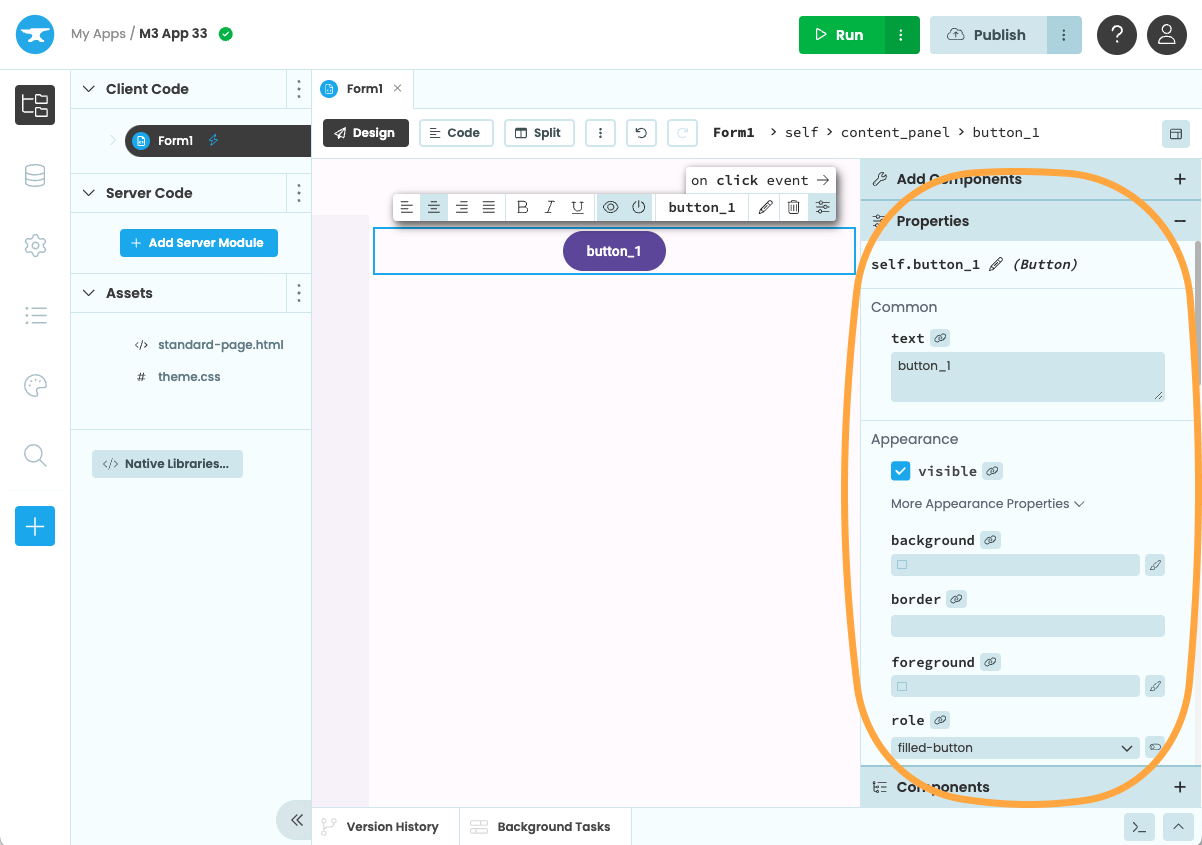
The Component Properties Panel in the Anvil Editor
Or directly in code:
self.button_1.text = "Click me"
self.button_1.visible = False
You can also read from properties. For example, reading the text property of a TextBox gives you whatever the user has typed:
user_input = self.text_box_1.textTo learn more about properties, read the full documentation.
Events
Components raise events when the user interacts with them. For example, a Button raises a click event when clicked. You can handle events in the Anvil Editor:
@handle("button_1", "click")
def button_1_click(self, **event_args):
    print("Button clicked!")
Read the Events docs to learn more.
Containers
Containers are components that hold other components and define how they are laid out on the page.
Alerts and Notifications
You can display alerts, confirmation dialogs, and notifications to communicate with your client while your app is running.
Adding HTML Elements
You can use native HTML elements in your apps and combine them with Anvil components.
Loading Indicator
A loading indicator is displayed on your client when your app is retrieving data. You can also configure your loading indicator through code.
Do you still have questions?
Our Community Forum is full of helpful information and Anvil experts.