

Microsoft Single Sign-On
Log users in to their Microsoft accounts
Anvil has a built-in integration with Microsoft Single Sign-On (SSO). This means you can allow users to sign in to their Microsoft accounts from your app. This includes Azure, Skype and Office 365 accounts. If users are already logged in to their Microsoft account, they can log in to your app simply by clicking a button.
There are very similar integrations for Facebook and Google accounts.
The recommended way to use Microsoft SSO is to enable the Anvil Users service. This allows you to make use of all of the features of the Users service such as the Users table for managing your apps users. However, you can also use Microsoft SSO without the Users service.
Using the Users service
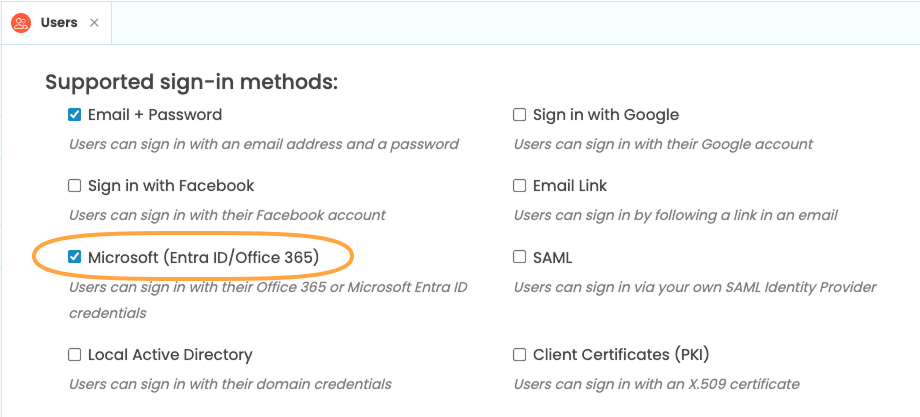
To display a login dialog, enable the Users service and tick “Microsoft (Entra ID/Office 365)” from the Users tab. This will automatically add the Microsoft API service to your app
Then run this line of Python on the client side:
anvil.users.login_with_form()The resulting login dialog looks like this:
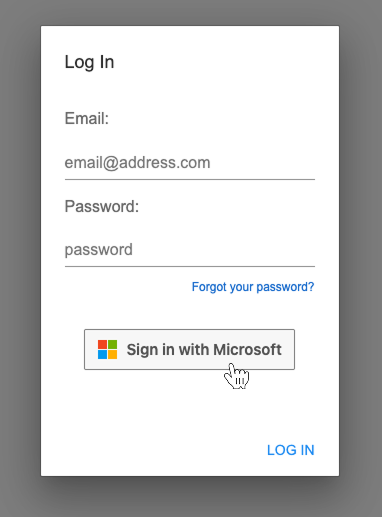
Users that log in this way will be added to the Users Data Table just like users that signed up using any other Users Service method.
Bypassing the Users service
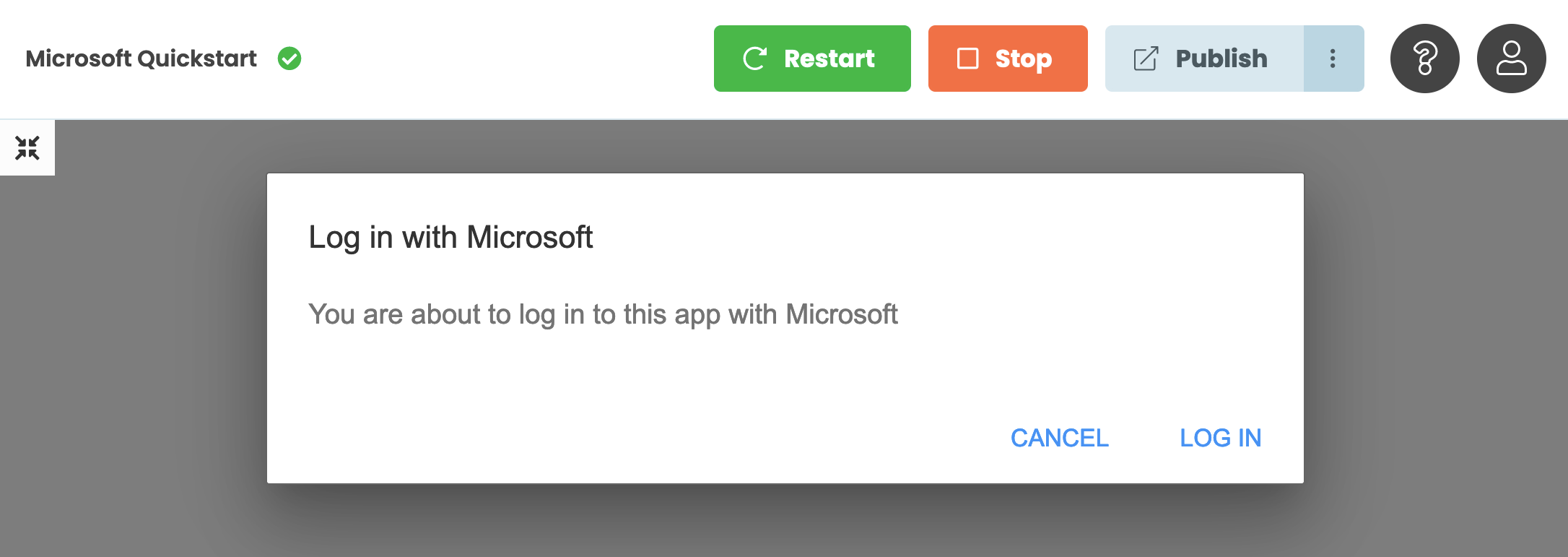
Alternatively, you can bypass the users service and add the Microsoft API service directly. In this case, you just need to call anvil.micosoft.auth.login() on the client side to redirect the user to sign in with Microsoft. The dialog will look like this:
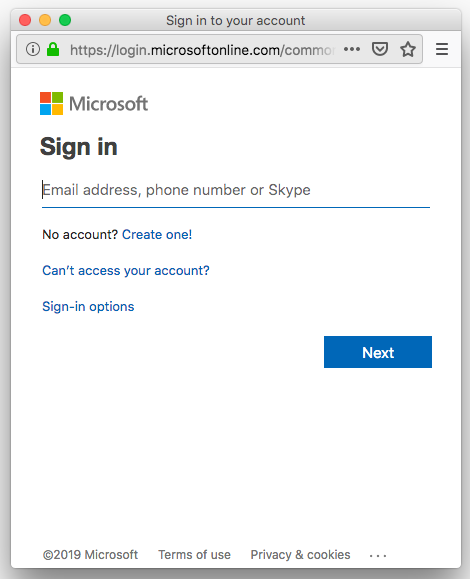
If the user’s browser is not logged in to their Microsoft account, they will be presented with the Microsoft Single Sign-On dialog in another browser window.
If the user’s browser is already logged in to Microsoft’s Single Sign-On, clicking on the Log In box will log them in without requiring them to enter their password. This might be the case if they are logged in to the Azure Portal in another tab, for example.
If the ‘Cancel’ button is clicked, the anvil.microsoft.auth.login() returns None. You can use this to
restrict part or all of your app to logged-in users.
Once the user has logged in, you can get the email address they are logged in with using:
anvil.microsoft.auth.get_user_email()Next up
You can restrict access to only users in your own Active Directory. Read Using your own Entra ID for more details.
It’s easy to access Microsoft Azure APIs via your Active Directory. Anvil fetches an API token for you, so you just have to make the relevant HTTP requests. Read Accessing Microsoft Azure APIs for more details.
Do you still have questions?
Our Community Forum is full of helpful information and Anvil experts.