

Scripts
Scripts in Anvil are single-file Python scripts that run from beginning to end, like a Python script on your computer. You can run a Script directly in the Anvil Editor, or run a Script from your front-end user interface.
Scripts execute in the trusted server environment, just like Server Modules. This means they can use any packages you have installed.
Scripts are useful for one-off maintenance tasks (for example, seeding a database with sample data). You can also upload an existing Python script as an Anvil Script and add a graphical user interface to share it with other people online.
Running Scripts in the Anvil Editor
To run a Script in the Anvil Editor, open the Script and click the green Run button in the toolbar.
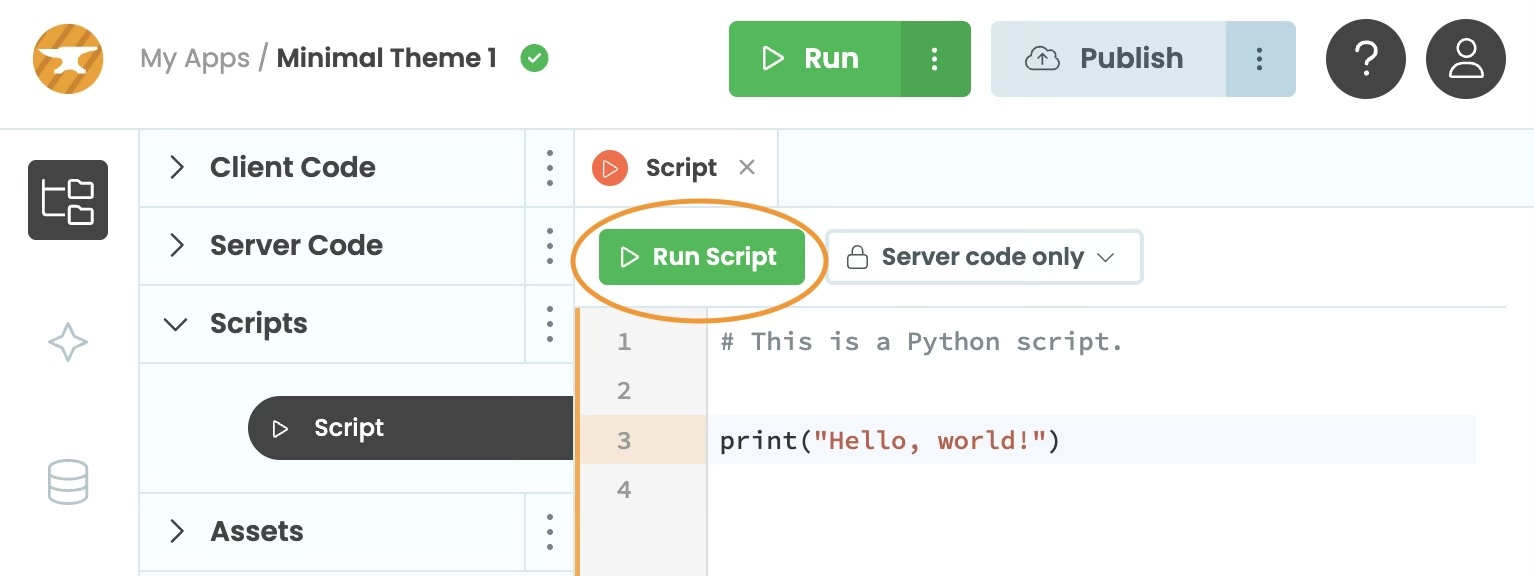
The Run button in the Script editor toolbar
Your Script output will appear in the bottom panel. You can interrupt a running Script by clicking the stop button.
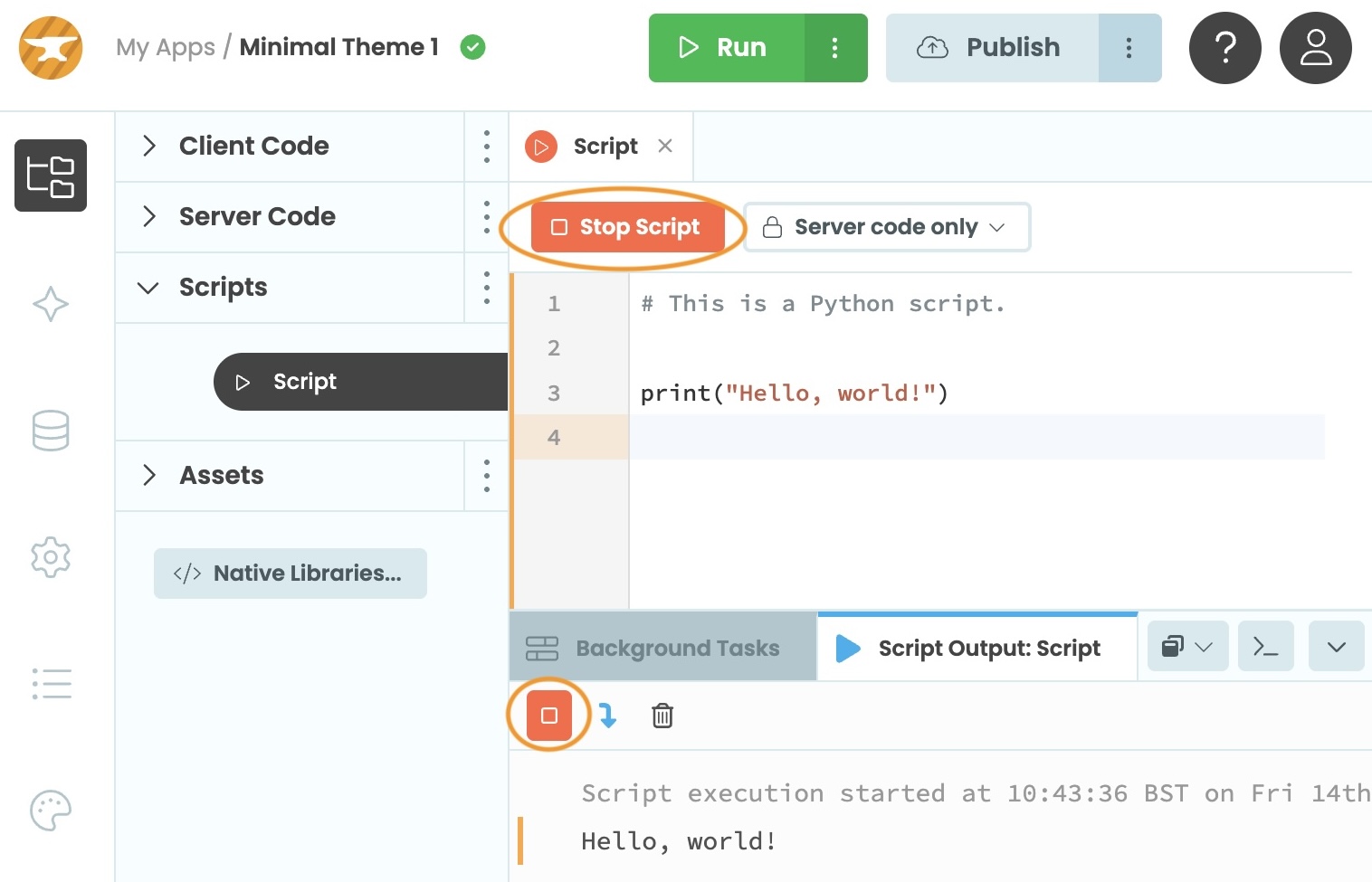
The stop button to interrupt a running Script
Scripts that you launch from the Anvil Editor can run for a maximum of 5 minutes.
Running Scripts from the Front End
By default, a Script can only be launched from the Anvil Editor or from server code. However, if you change the permission in the script editor, you can make the Script callable by anyone who visits your app, or by anyone who is logged in with the Users Service.
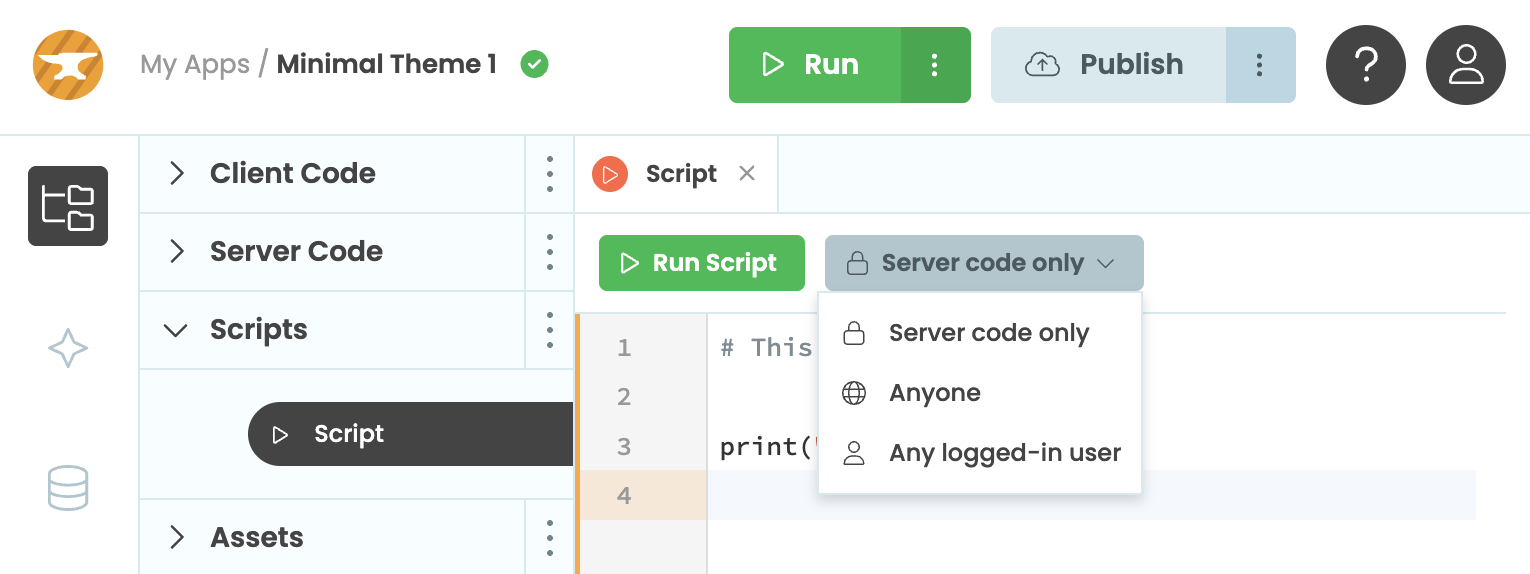
Script permissions settings in the editor
To launch a Script from front-end code, call anvil.server.run_script('<script-name>'). Any additional arguments to the run_script() function will be passed as arguments to your Script. If your Script returns a value, run_script() will return that value. If your Script raises an exception, run_script() will raise that exception.
For example, to call a Script when a Button called button_1 is pressed, you might write:
    @handle('button_1', 'click')
    def button_1_click(self, **event-args):
        """This method is called when the button is clicked"""
        anvil.server.run_script('MyScript')
Arguments and return values
To pass information to your Script when you launch it, you can pass additional arguments to run_script(). These arguments appear to the Script like standard Python command-line arguments (from sys.argv) or using anvil.script.args (requires import anvil.script). You cannot pass keyword arguments to a Script.
If your Script assigns a value to anvil.script.return_value, then that will become the Script’s return value, and will be returned from the run_script() call.
You can pass any portable value as an argument to a Script, and return any portable value except Media objects from a Script. This means you can upload files to your Script, and return rich data including Plots or database records.
Example
For example, if you have a Script called HelloWorld with this code:
import anvil.script

name = anvil.script.args[1]
print(f"Hello, {name}!")

anvil.script.return_value = f"Greeted {name}"
And if in client code you called:
result = anvil.server.run_script('HelloWorld', 'Sophie')
alert(result)
Then when you ran that code you would see the Script print Hello, Sophie! on the App Console, and pop up an alert box that says “Greeted Sophie”.
Passing files as arguments to Scripts
You can pass files as arguments to a Script. You can, for example, ask a user to upload a file with a FileLoader and pass it straight into a Script.
Files in Anvil are normally represented as Media objects, which give you access to filenames and MIME types as well as data. However, as a convenience, when you pass a Media object as an argument to a Script, the data is written to a temporary file and the filename of that temporary file appears in sys.argv. If you want direct access to the Media object, you can access it via anvil.script.args.
So if you want to read a file you’ve been passed as an argument, you can do either:
import sys

open(sys.argv[1], 'rb')
…or, equivalently:
import anvil.media
import anvil.script

with anvil.media.TempFile(anvil.script.args[0]) as f:
    open(f, 'rb')
Returning files from Scripts
You can return any portable value from a Script, except Media objects.
You might want to return a file from your Script. However, because you can’t return a Media object directly from a Script. Instead, you’ll need to use Data Tables: Create a table to hold these files, add a new row containing your file, then return the row itself from your script.
Running Scripts as Background Tasks
Every Script is available as a Background Task, named script:<name>. So, for example, you can launch a Script called MyScript by calling anvil.server.launch_background_task('script:MyScript').
Scripts can access anvil.server.task_state, just like any other Background Task, and that state can be retrieved by calling get_state() on the task object. See the Background Tasks documentation for details.
If you want to provide status updates while your Script is running - for example, to indicate progress - use launch_background_task() instead of run_task() and poll the task state and completion status in your own code.
Do you still have questions?
Our Community Forum is full of helpful information and Anvil experts.