I wonder if anyone can give me a steer please.
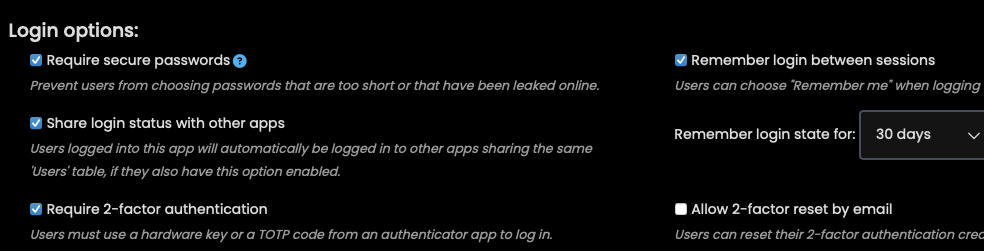
What I am trying to do is have an Anvil app, which uses User Services to provide a login, act as a ‘Portal’ to other apps. I am trying to achieve a SSO so that once a user has signed on to the Portal app they are automatically signed on when they navigate to other apps from the Portal menu.
I have created a shared Users table which is used by the Portal app and the apps in the Portal menu. I see the little blue paper clip icon on the Users table. Also when I add or delete a user I see the change reflected when I look at the Users table in the Portal app and the Portal menu apps. Therefore I am confident that the Users table is being shared.
However, when I run the Portal app I go through the login process and get the menu of other apps. When I click on any of the apps in the menu they open in a new tab (which is good) but they present a login form which says I am not logged in.
I have read the Docs and searched the Forum and what I read suggests that as long as I am sharing the Users table I should be able to have SSO.
Am I missing something?
Clone link:
share a copy of your app