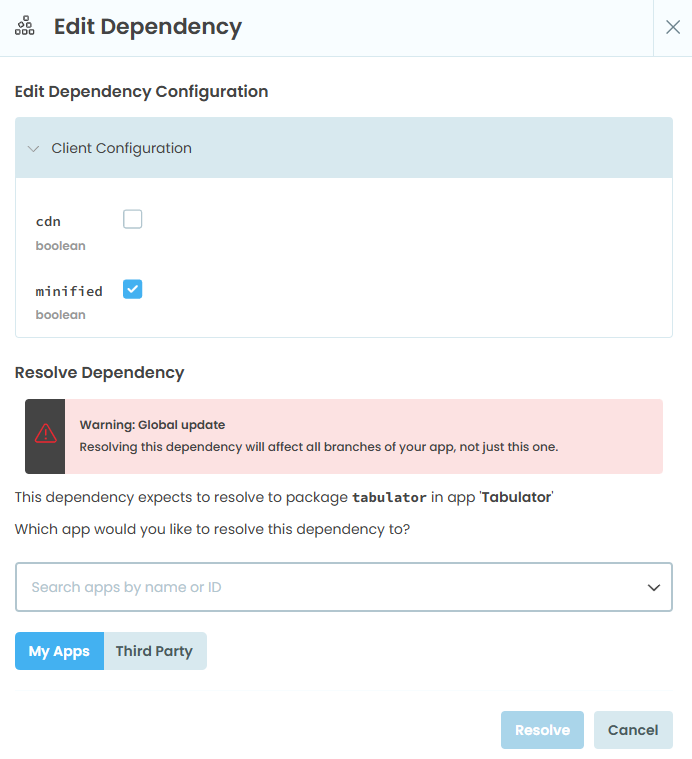
Many of my users have really slow internet connectivity, so when using libraries like tabulator (but also many other 3rd party js libraries), the dynamic import of the modules often fail. So I often see issues like this: TypeError: Failed to fetch dynamically imported module: https://cdn.jsdelivr.net/npm/tabulator-tables@6.2.5/dist/js/tabulator_esm.min.js related to this discussion: Tabulator cdn issue - Anvil Q&A - Anvil Community Forum
So when I untick “cdn”, I then need to “Resolve Dependency” to a particular application. What does this mean? I see all of my applications listed in the dropdown at the bottom (except the current app), but what actually happens/what will this do? I only want this to affect the current application where I am setting this. I cannot click “Resolve” until I have selected an application.