Hi,
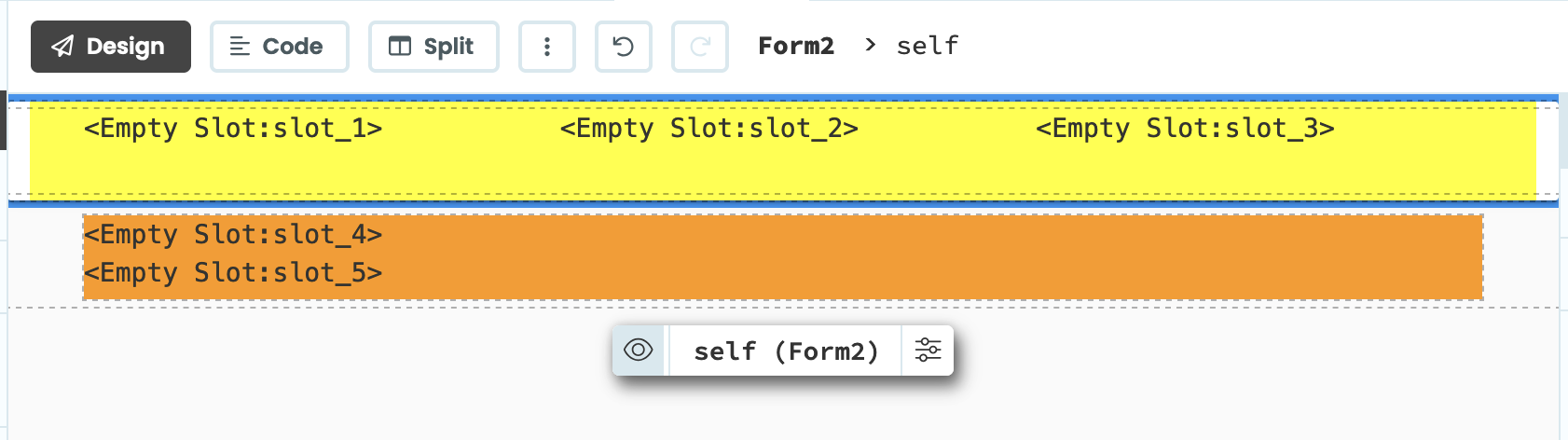
I am trying out the new layout feature. And i have created the following layout (of a form).
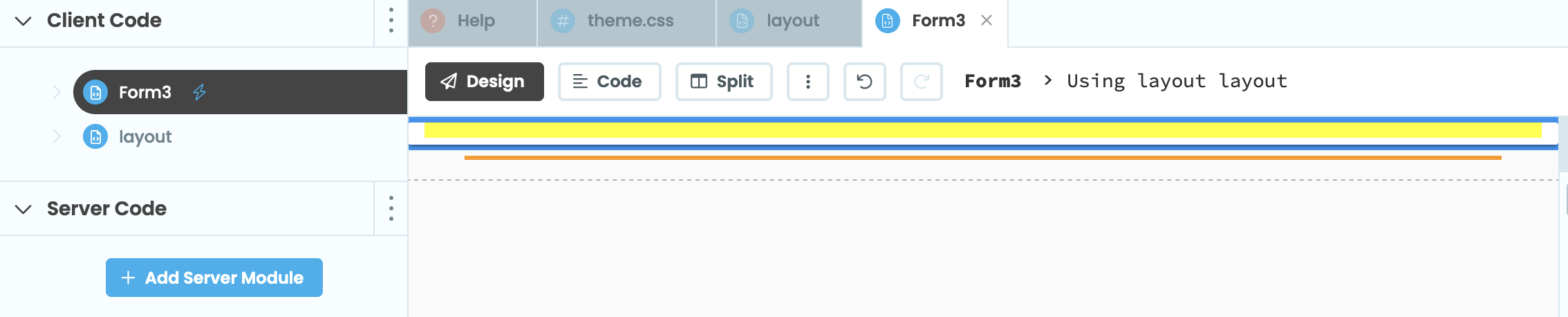
Then i have created a new form that uses the layout above. But i feel it looks a bit weird.
I was expecting the form to look nairly identical to the layout. Seems like some padding or margin is missing.
Or am i using the layout feature in the wrong way? 
The important thing to understand about a slot is that there’s nothing in it until you put it there! When you’re designing the layout, Anvil shows placeholders (those monospaced <Empty Slot> indicators), but when you’re using the layout there’s nothing there until you actually drop a component into it!
If you drag a component over your Form3 above, you should see a drop zone corresponding to each of the slots you placed.
If you want (eg) a minimum height in your layout, even without placing components into it, you’ll want to configure that explicitly (eg in CSS).
Oh i see!
Thanks for the explanation