[Fixed] Layout Margin Basic Components

Dear Anvil Team,

suddently layout margins of basic components (drop-down or text) changed (bottom margin from 8px to 0px) … while no change on the M3 Components???

Is there any change made in the theme code for older basic components?
The same change was noted on different apps.

Cheers,
Gerhard

Hi @Gerhard,

Can you provide a little more info so we can investigate further?

e.g.
Which version of M3 are you using
How do we reproduce what you’re?
What are you expecting to see?
Is it in the designer and/or when running the app?
Any screenshots etc.

Hi @stucork ,

  • M3 Version 2.5, but the same with 2.6
  • theme.css or rules: I made no change
  • basic components: the std. bottom margin went from 8px to 0 px
  • visible: as well in the designer and when running the app (as well in older backups)
  • screenshots:: actual and from a PDF Print,
    the problem arrised shortly before I postedt)


I couls adjust the margin bottom on thextbox, dropdown, checkbox …
however I used the anvil margin for the basic components … did you changed them?
Do I need a dependency to use the old basic components?
In my app I have old basic components and M3 components.
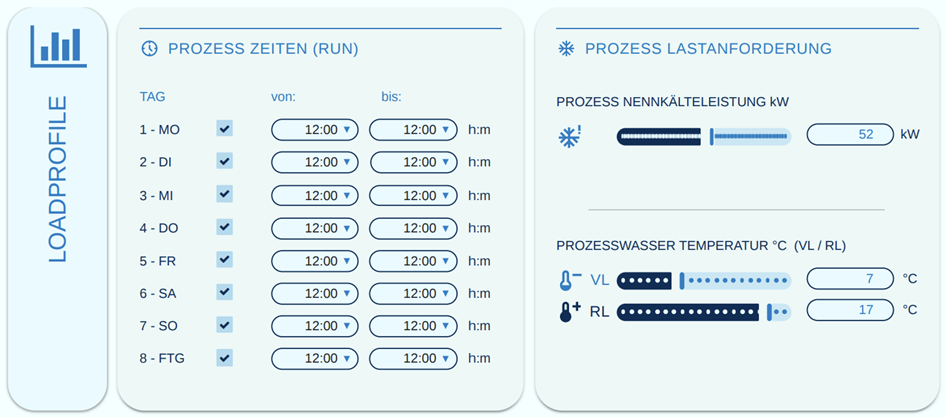
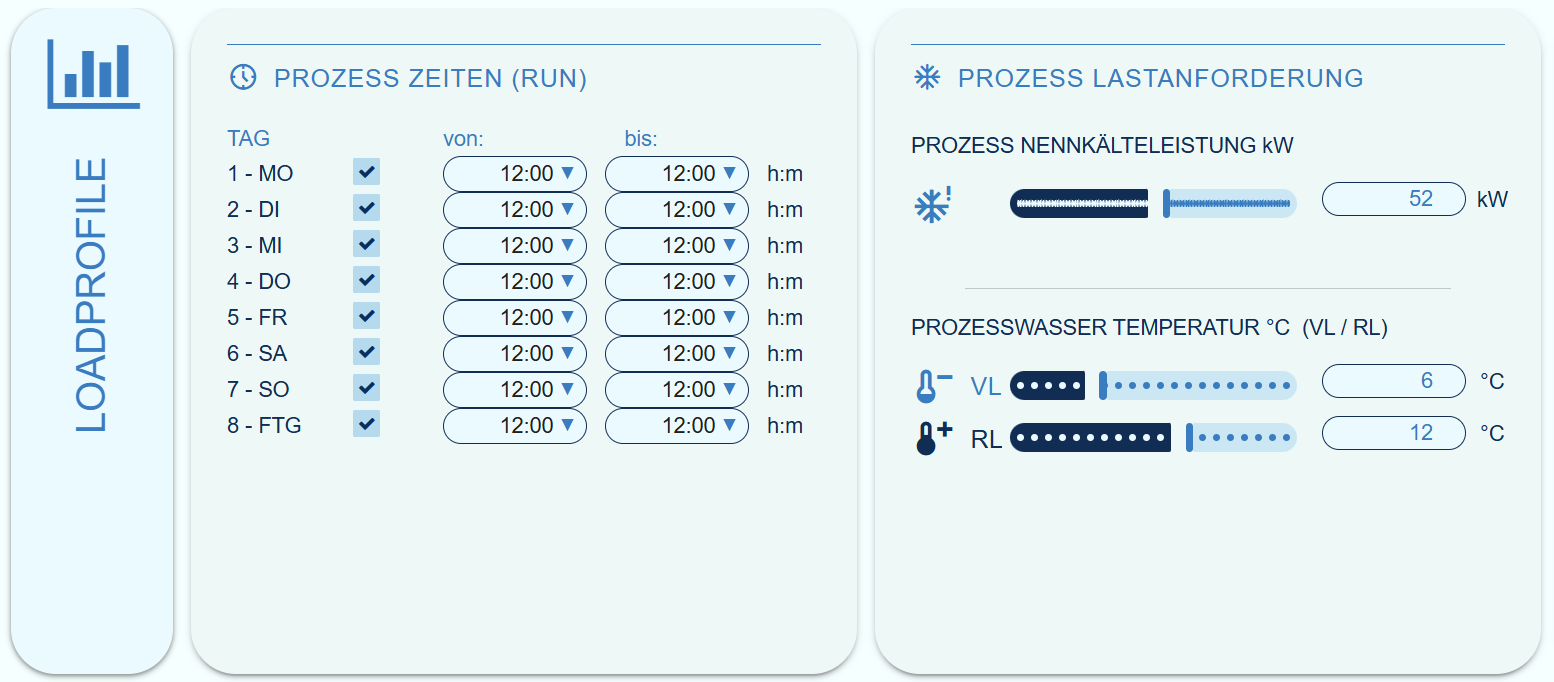
.anvil-role-CP-dropdown_2 {
width: 80px;
padding: 0px !important;
border-radius: 5em;
/margin: -1px 0px -2.2px 0px;/
background-color: %color:White%;
text-align: justify;
text-align-last: right;
}

.anvil-role-CP-label_1 {
font-size: 12px;
font-weight: medium;
width: auto !important;
min-width: 50px !important;
display: flex;
color: %color:Primary 700% !important;
padding: 0px !important;
margin: 0px !important;
}

Can you give us an app id and we’ll take a look.

Thanks for the app id, now reproduced and expect a fix shortly.

This affected grid panels specifically.

1 Like

Hi @stucork,

Thank you for taking care and solving :ok_hand:.