Hi all,
I just want to share a small application which helps me identify errors in my applications in a centralized way (yes i have errors occasionally  )
)
Although the built-in Logs tab is great - i wanted to get notified when there is an error in one or many applications.
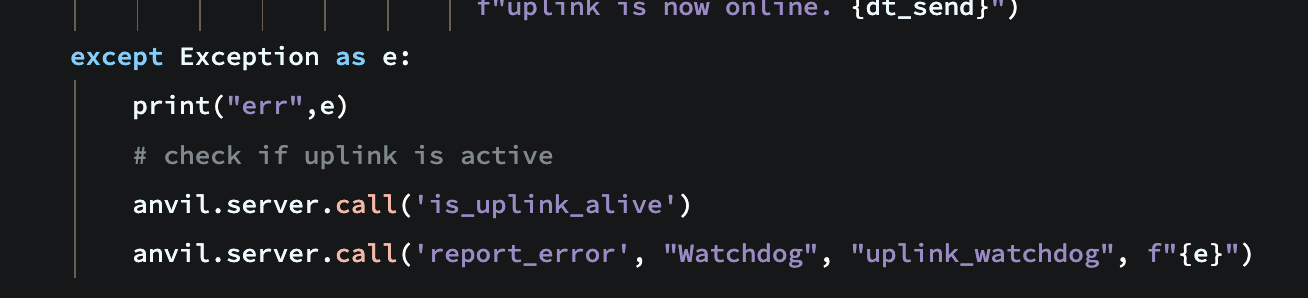
For example, in one of my apps i report an error to a “central” log server in a Except block.
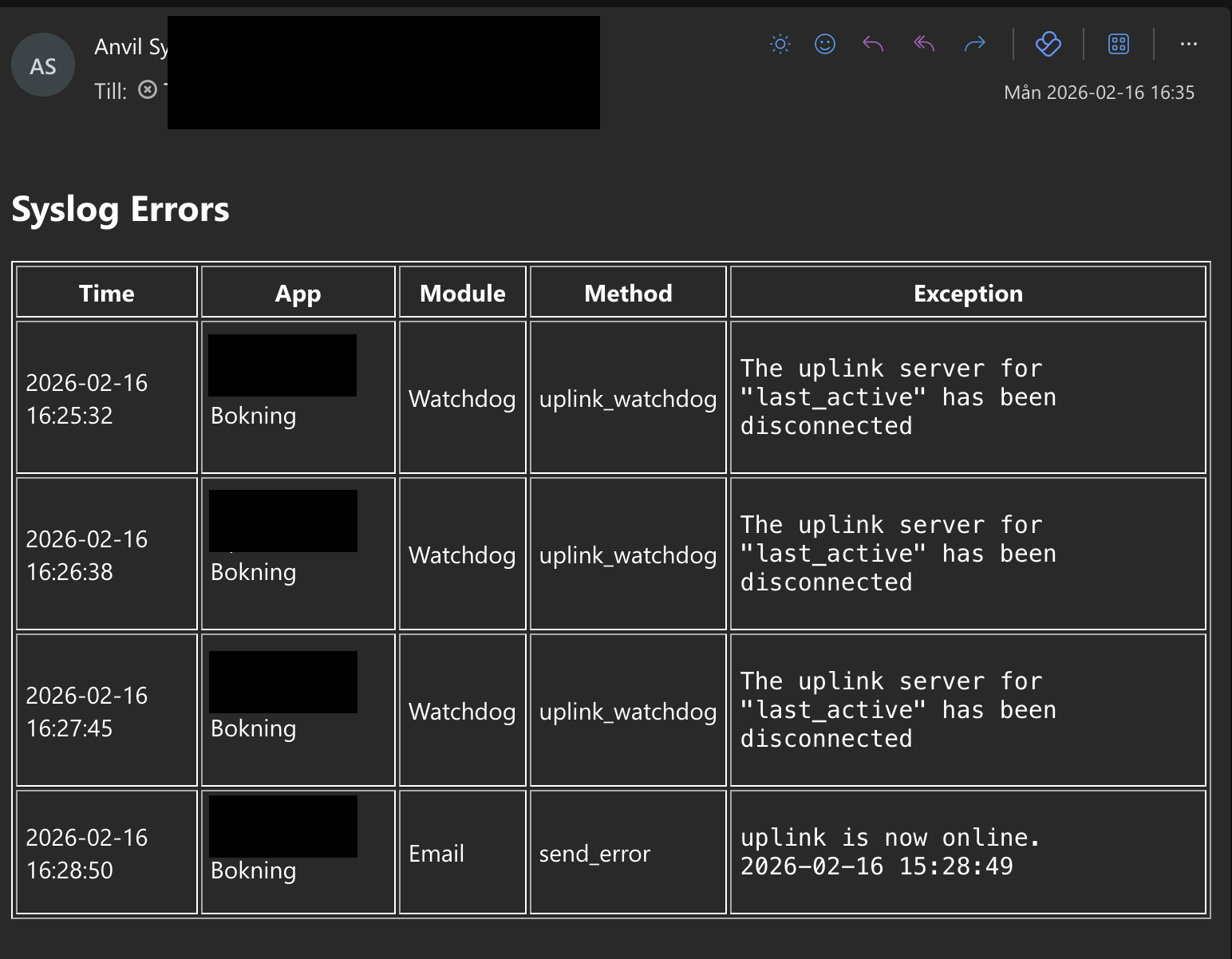
Then i get a summary of reported errors via email.
Hopefully someone finds this useful
Try it:
- Navigate to https://syslog-client-demo.anvil.app and click the “report an error” button
- Then navigate to https://maildrop.cc/inbox/?mailbox=syslog-anvil-demo . A email with the reported error(s) will end up in the mailbox after a minute or so.
To setup the server:
- Clone the server project below
- Go to the Secrets tab and set or generate a secret
- Go to the server side script, BackgroundTasks and adjust the email
to="syslog-anvil-demo@maildrop.cc",to your email - Publish the application
(note that the server uses the built-in email service)
To setup a client:
- Go to your app of choice and add a new server side script and paste the following code:
Note, dont forget to adjustapp_name
import anvil.secrets
import anvil.server
import anvil.http

@anvil.server.callable
def report_error(module_name: str, method_name: str, exception: str):
    try:
        response = anvil.http.request(
            url="https://syslog-demo.anvil.app/_/api/log",
            method="POST",
            json=True,
            data={
                "key": anvil.secrets.get_secret("syslog_api_key"),
                "app_name": "syslog client example",
                "module_name": module_name,
                "method_name": method_name,
                "exception": exception
            }
        )
        return response
    except Exception as e:
        print(f"Error in report_error: {e}")
- Adjust the url to the published server url above:
url="https://syslog-demo.anvil.app/_/api/log". - Add a new secret to you app called
syslog_api_keywith the value entered in the server app - Call the server method somewhere in you app eg:
anvil.server.call('report_error', module_name="example1", method_name="example method1", exception="exception")
Clone to server:
Clone to example client:
EDIT
I totally missed this app which is very similar Dashboard for tracking Errors in Anvil App
Also, if you want to protect the server (api endpoint). This example works great with a Private Published url, but also behind a reverse proxy.