Beautiful editor. Thank you. The only thing I think that will need to improve is the line spacing in the code editor. Different people prefer different spacing for eye comfort. Is it possible to give it a slider bar or numerical option for user to increase or narrow the spacing between lines? I personally get used to read lines with narrower spacing, just like the one in the old code editor. Cheers👍
Continuing on the theme of readability: it would be nice for older eyes if the code font size would be adjustable. The font of the old iDE was just right for me. In the new IDE it is on the small side. Of course I can zoom the browser a bit, but I only need the bigger font in the code editor.
You can click on the My Account icon on the top right, then change is on the Look & Feel section:
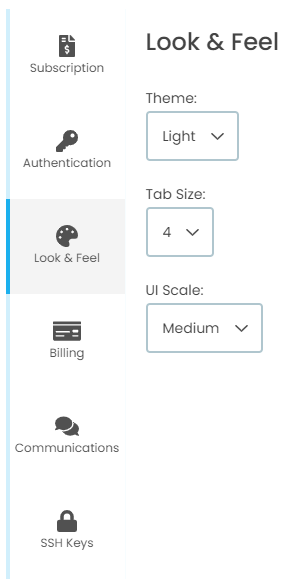
This will change the UI scale, not the font.
One thing that I don’t like is that the font size can change.
1 Like
Wow, the new IDE is even better than I thought!
Setting UI scale to Large helps me out now. Please consider for the future differentiating between all UI elements and just the code editor. TIA!
5 Likes
Agree, line spacing should be adjustable independently of font size or UI size.
UI size Small: 
UI size Medium: 
In my case, I’d reduce Medium’s line spacing, to fit more lines of code per screen. The only way to do that right now, is to switch to Small, but that makes the text itself smaller, too, and harder to read.
To be fair, most editors don’t allow adjusting the line spacing. I’ve lost track of the number of different fonts I’ve tried with some editors, trying to get the spacing right, only to discover that many fonts skimp on their Unicode support. (Like not being able to see any difference between “N” and “Ñ”, or not showing icon-like symbols, e.g., ▟ for bar charts, or ◔ for pie charts… )
In short, fooling with different fonts is no substitute for a working adjustment to line spacing.