Run Python scripts in Anvil
Anvil Scripts are single-file Python scripts you can run inside your Anvil app, either directly from the Anvil Editor or from your app’s Python code. A Script runs from start to finish, like a Python script you run on your computer, which makes it a good fit for tasks such as seeding a database or analyzing a file.
In this tutorial, we’ll build a simple file analyser. It uses the filetype package to inspect a file and infer its file type. We’ll first run the Script directly in the Editor, then call it from a simple front-end that we’ll build.
We’ll learn how to:
- Create and run a Script in the Anvil Editor
- Pass arguments into a Script
- Return a value from a Script
- Call a Script from the front-end and display the result
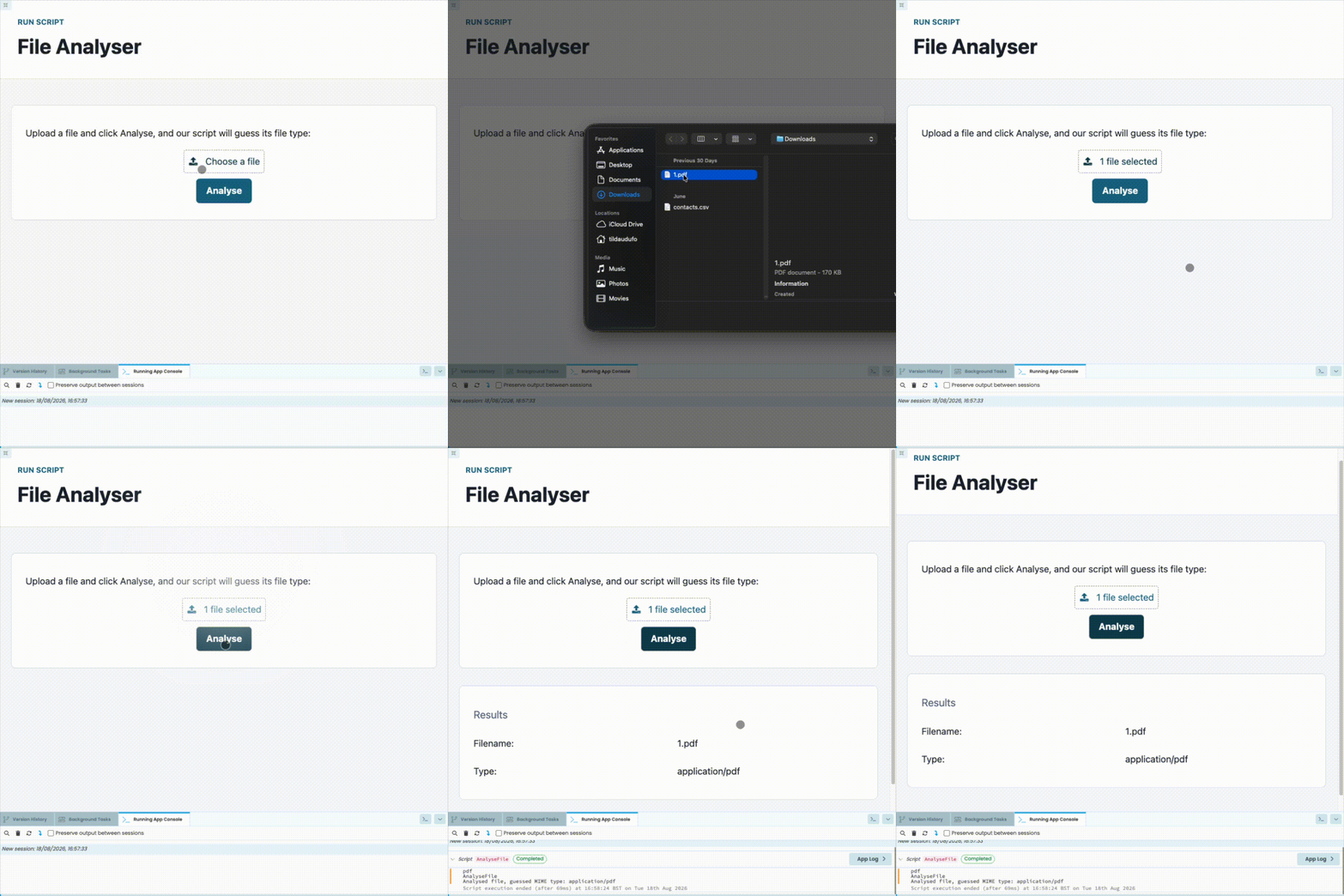
Finished file analyser app
You don't need any prior experience with Anvil or web development to complete this tutorial.
All you'll need is a little bit of Python. If you’re new to Python, here are some resources to help you get started.
Chapters
In this tutorial, you'll:Create and run a Script
Write and run a Script that analyses file types.
Build the front-end
Build the user interface and connect it to the Script.
Accept arguments and return values from a Script
Update the Script so it accepts an uploaded file and returns the detected file type.