Update Dynamic Date Picker B, with Selected Date Picker A

I have a form that creates ‘n’ number of components depending on the number a user inputs

DatePicker A is in TravellerAges
DatePicker B is in TravellerForm

Here is the code that creates the components


def text_box_travellers_lost_focus(self, **event_args):
    self.trav = int(float(self.text_box_travellers.text))
    self.cp.clear() #clears traveller inputs if the value of trav changes
    self.cp2.clear() #clears traveller inputs if the value of trav changes
 
    self.travellers = []
    for i in range(self.trav):
      #Creates Boxes for the TravellerAges
      self.cp.add_component(TravellerAges(i + 1))
      #Creates Boxes for TravellerForm
      self.cp2.add_component(TravellerForm(i + 1))

How would I update TravellerForm with the correct datepicker, because I want the first datepicker, to be the first in TravellerForm and the second, the second.

I’m stumped on this one?

If the goal is to allow one subform to access a component in another subform, you need to pass a reference to that other subform into the original subform.

Something like:

    for i in range(self.trav):
      tf = TravellerForm(i + 1)
      ta = TravellerAges(i + 1, tf)

      #Creates Boxes for the TravellerAges
      self.cp.add_component(ta)
      #Creates Boxes for TravellerForm
      self.cp2.add_component(tf)

Then in your TravellerAges init, save that reference for future use:

  def __init__(self, tf, **properties):
    # Set Form properties and Data Bindings.
    self.init_components(**properties)

    self.tf = tf

Now in your TravellerAges code, self.tf refers to the other form that has the other date picker in it.

Thanks for that, I will give that a go! Might be a few days before I get back into it, been battling the dreaded Covid! Pretty mild compared to how some have suffered, but its frazzled my brain a bit :slight_smile:

1 Like

Hi feeling up to having a look at this today, well I say up to it, but I’m still getting nowhere.

I tried referencing this in a change event but I am not getting it

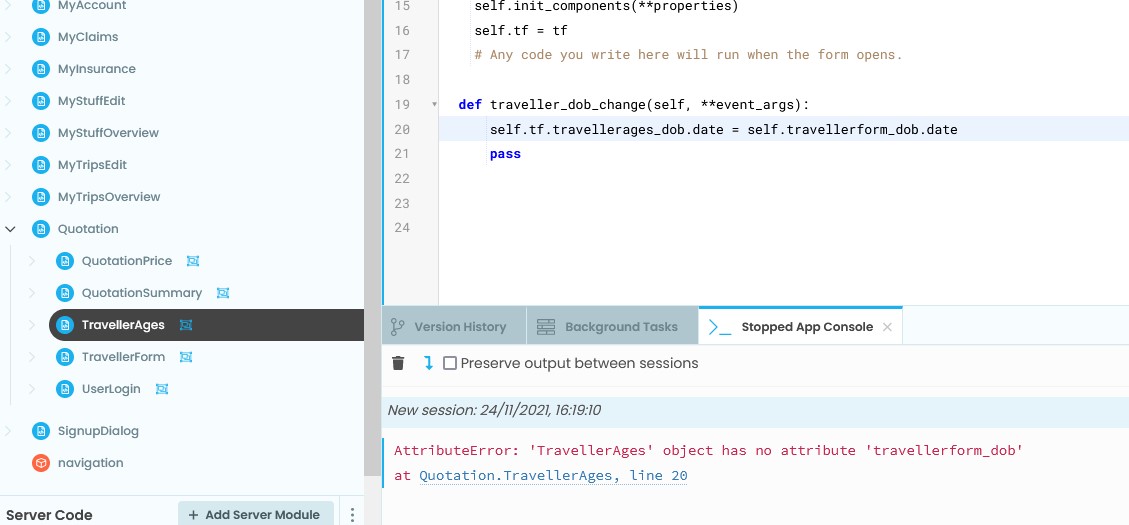
  def traveller_dob_change(self, **event_args):
       self.tf = self.travellerform_dob
      
    pass

I’m just getting this error
AttributeError: 'TravellerAges' object has no attribute 'travellerform_dob'

I tried referencing it as TravellerForm. that didnt work, as well as the main cp2 component followed by the field. All were not recognised.

Do I do the change event on the main quotation page??? Because self.tf is referenced in TravellerAges I assumed it would need to be on that component? Or am I even doing the change event correctly apart from how I am referencing it?

self.tf was already set in the __init__ function, if you set things up as shown above. You don’t change it in your date changed function, you reference it. I don’t know your form structure, but something like:

self.tf.agesform_dob.date = self.travellerform_dob.date

Replacing agesform_dob with whatever the date component on the other form is named.

Hi,

I think I’m having trouble referring a sub form to a sub form. Its trying to find travellerform_dob in TravellerAges, when travellerform_dob is in TravellerFrom

The top level form they are both in, is Quotation.

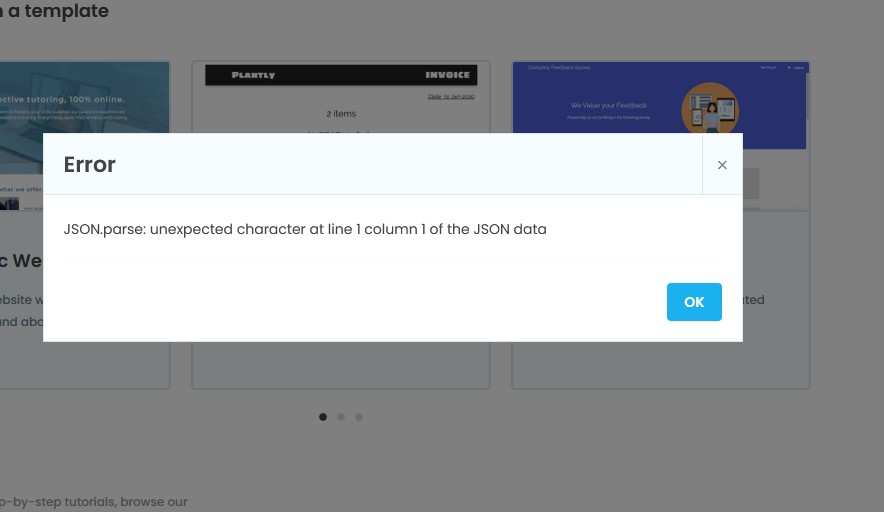
I tried cloning a copy of the app, but am getting a json error and it wont do it, so apologies for that. Unfortunately in trying to fix that error, I re-did the clone link, so the one you have wont work gahh!

Whichever way you need it to work, create your forms as shown in this post: Update Dynamic Date Picker B, with Selected Date Picker A - #2 by jshaffstall

That gives the form that has the date picker that’s triggering the change a reference to the form that has the date picker that needs to change. Then in your change function, use that reference to change the other date picker.

If I had the direction wrong, just change the names of the components you’re trying to reference.

Yes, that is exactly how it has been done, you were 100% correct in the order.

TravellerAges has the datepicker that is triggering the change, TravellerForm has the datepicker I want changed. TravellerForm has the datepicker named travellerform_dob.

So, I have done it right, but its looking for travellerform_dob in TravellerAges and not finding it.

I just tried creating another field in TravellerAges and referencing that one, its still not uopdating. I think I may have to go back to the drawing board. Since I create a tuple with the date in it, I wonder if I can use that tuple to fill in the fields

Then shouldn’t it be:

self.tf.travellerform_dob.date = self.travellerages_dob.date

You’re trying to change the date on the travellerform_dob component.

Apologies for the lack of response, Covid + other business took me off of solving this part of code.

I have added

  def travellerages_dob_change(self, **event_args):
    self.tf.travellerform_dob.date = self.travellerages_dob.date
    pass

to the sub form TravellerAges

But the corresponding date fields in TravellerForm do not update onchange of the travellerages_dob.date.

I dont get any errors, it just doesnt update the TravellerForm date field.

This is the piece of code that handles all the dates, it is in the main Form Quotation. It is correctly picking up the travellerages_dob.date in the code here, as you can see from the console output, but it isnt updating the travellerform_dob.date at all. I put in 2 travellers, one born 21/5/2000 and one born 20/5/2000.

#This code sets up the ages tuple from the age fields
for traveller_ages in self.cp.get_components():
self.ages1.append(traveller_ages.travellerages_dob.date)
print(self.ages1)
for x in self.ages1:
print(x)
born= (x)
print(“Born :”,born)
born = str(born)
born = datetime.strptime(born, “%Y-%m-%d”).strftime(‘%d/%m/%Y’)
print(born)
#Identify given date as date month and year
born = datetime.strptime(born, “%d/%m/%Y”).date()

      #Get today's date
      today = date.today()
      #ageis = 0
        
      print("Age :",
          today.year - born.year - ((today.month,
                                             today.day) < (born.month,
                                                        born.day)))  
      ageis = (today.year - born.year - ((today.month,
                                               today.day) < (born.month,
                                                       born.day)))   
      ageis = int(ageis)
      print(ageis)
      print(type(ageis))
      self.ages.append(ageis)

And this is the console output of it:-

[datetime.date(2000, 5, 20)]
2000-05-20
Born : 2000-05-20
20/05/2000
Age : 21
21
<class ‘int’>

[datetime.date(2000, 5, 20), datetime.date(2000, 5, 21)]

2000-05-20
Born : 2000-05-20
20/05/2000
Age : 21
21
<class ‘int’>
2000-05-21
Born : 2000-05-21
21/05/2000
Age : 21
21
<class ‘int’>

Any help would be appreciated

Can you share a clone link? If you’re not comfortable sharing it publicly, feel free to PM me with the link. Something like this is tough to debug without having the entire app available.

Hi

no its fine you can have a clone. Here is the link

https://anvil.works/build#clone:ALUYX6V7HUSUEZJX=HEYXIFGG7PPJYAVHKQX4FEVL

I did try to clone it before and it came up with an error, but give it a go and see if it works

Thanks for your help.

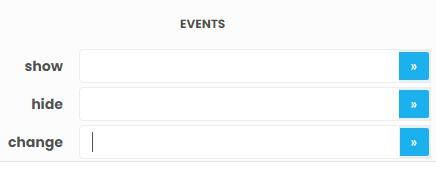
In your TravellerAges form, your change event for travellerages_dob is not hooked up to your change function.

image

Click the button on the right of the change event to hook it up to the function you already have.

Hi

Oh yes, that’s right! Of course! I forgot about that part.

Thank you!

~WRD0003.jpg

2 Likes