Hello dear anvilistas !
What I’m trying to do:
I got a material design 3 app.
I got this form :
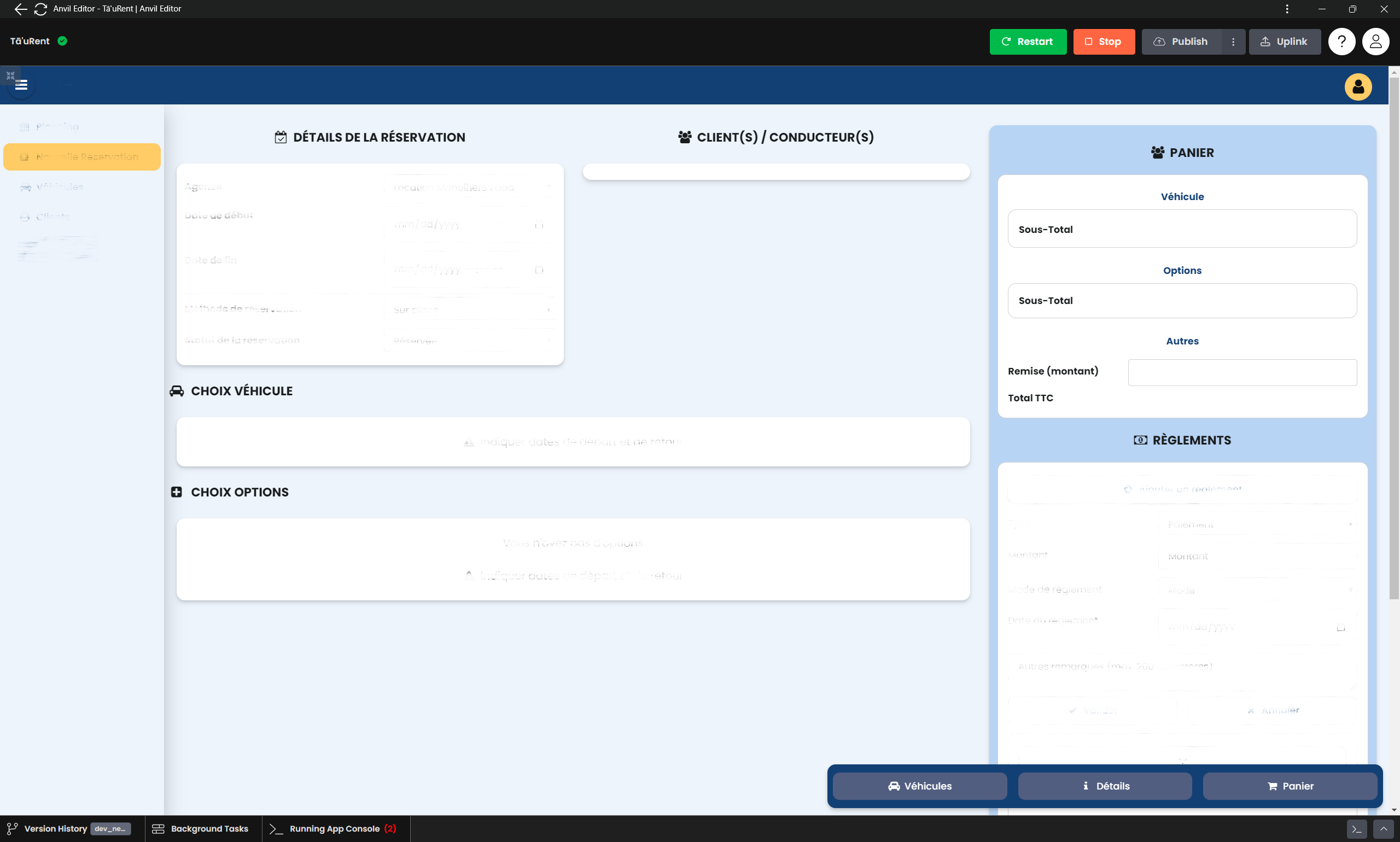
I have one button (the “Panier” button, at the very bottom right) which click event is defined as a scroll into view for the panel at the top right, as highlighted in this screenshot :
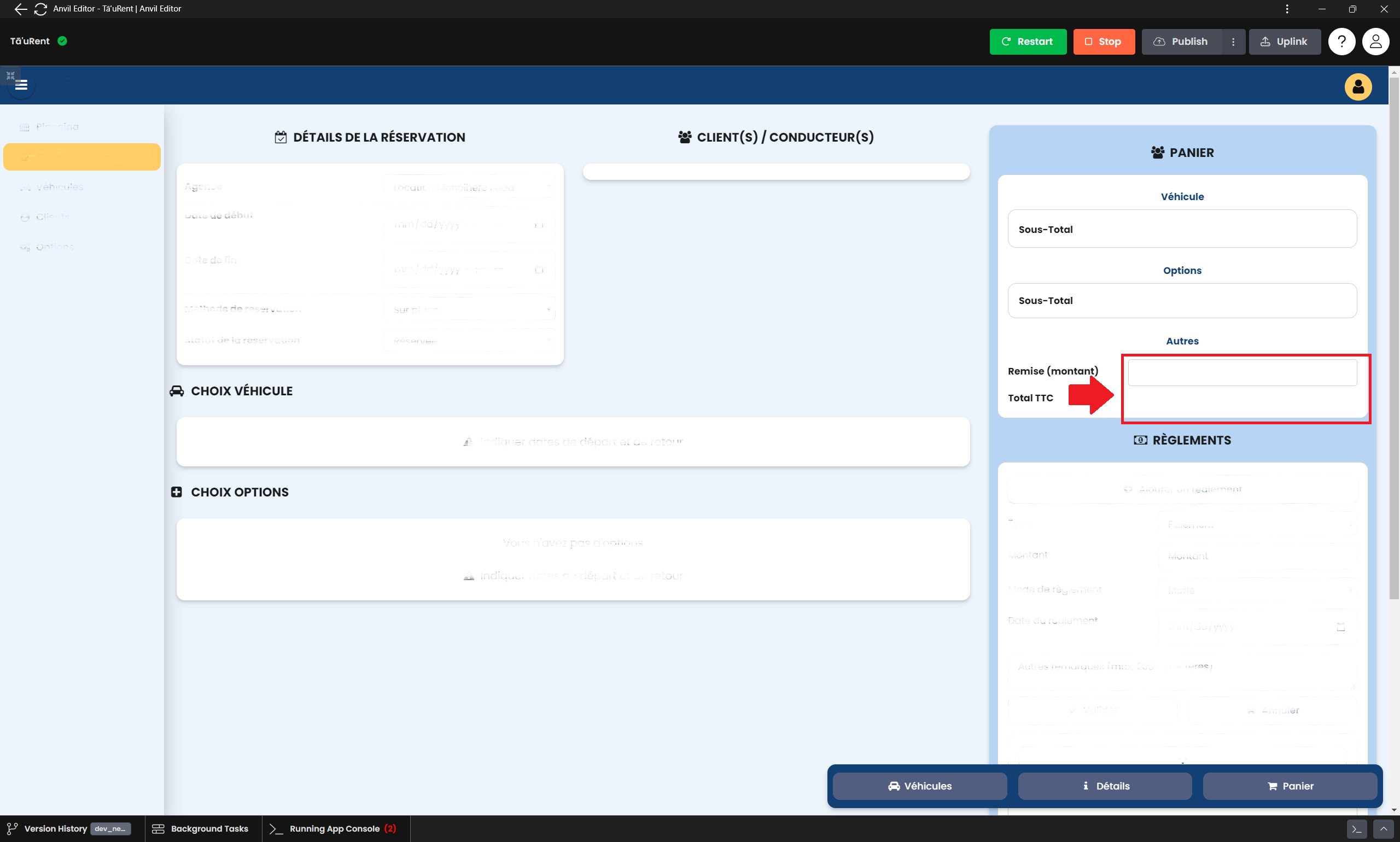
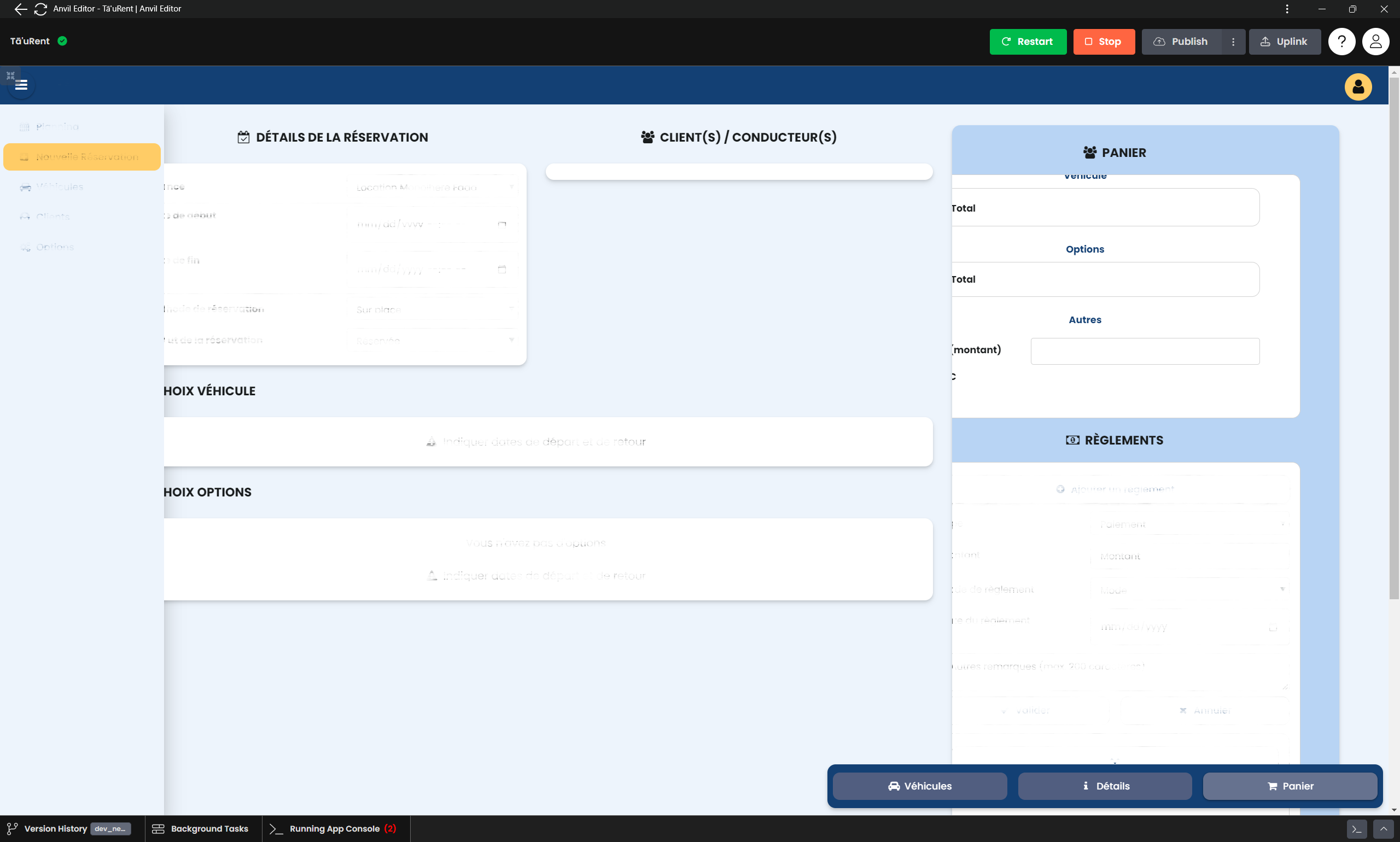
My problem is, when the scroll into view is triggered, there are 2 shifts to the left that occur:
- the whole page is entirely shifted to the left (as you can see, even the panels on the left are shifted and then hidden under the left navigation panel)
- the content of the right panel in blue (titles: PANIER and RÈGLEMENTS) are also shifted to the left inside this blue panel. So the blue panel was shifted inside its container (along with other components of its container), and also its content was shifted inside itself.
As shown here :
Remarks
Notice that with the other 2 buttons (véhicules and détails), which respectively scroll into view of the panels titled “CHOIX VÉHICULES” and “DÉTAILS DE LA RÉSERVATION” (hence, panels on the left of the page), the view is not shifted to the left. (I would even say, in my opinion, it is shifted to the right, since once it is shifted to the left due to “Panier” button click, a click on any of these other 2 buttons brings back the view to normal -aka no shift-)
Any help will be greatly appreciated !