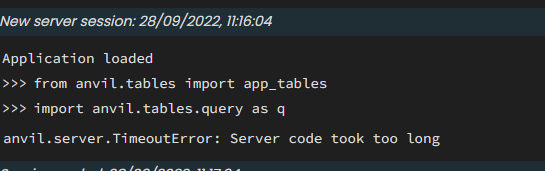
I haven’t tried to use the server REPL, since this issue.
Putting in a slew of print statements revealed that I had server calls being called multiple times for one transaction. This threw me off because it was happening in my debug environment, where I am the only user.
I had to refactor my server calls to reduce what was in my transactions, to help speed them up. That seemed to help ALOT.
I had to remove this solution. This is starting to happen with all of my server call’s in transactions. Are there updates being made to how transactions are being made? @brooke
Can you share code for a typical server call that uses transactions that’s having the issue? Between the automatic retry for transactions, I could see server calls that take some time timing out during retries.
But here is a simplified version of the production code as well.
@authenticated_callable
@authorisation_required("edit")
@anvil.tables.in_transaction(relaxed=True)
def add_data(**data):
  #
  # Get data from id's
  #
  result = False
  order  = check_table_obj(data['order'],app_tables.orders)
  exist = app_tables.datas.get(order=order)
  if exist is None:
    #
    # Method that checks if object is an anvil.Row, else searches for the object
    #
    tool    = check_table_obj(data['tool'],app_tables.tool)
    user    = check_table_obj(data['user'],app_tables.users)
    worker  = check_table_obj(data['worker'],app_tables.workers)
    workers = check_table_objs(data['workers'],app_tables.workers)
    payments = {}
    for worker_ in workers:
      payments[worker_['company'].get_id()] = None

    result = app_tables.datas.add_row(order=order,
                                      user=user,
                                      worker=worker,
                                      size=data['size'],
                                      tool=tool,
                                      workers=workers,
                                      pay=data['pay'],
                                      payments=payments,
                                      paid=False
                                        )
    if result:
      for _worker in workers:
        alert_worker(not _worker['company_worker'],_worker)

    order_assigned(order)
    if data['tool']:
      other_method(result,None,tool,result['order']['destinations'][0],result['order']['order_number'],time=datetime.now(anvil.tz.tzlocal()).isoformat())

    result = convert_data_to_tabular(result)

  return result
Transactions are tricky and tough; there was a time when I was getting transaction conflicts even though I was the only person using the app, and I mined the forum community for advice. After implementing that advice I no longer get transaction conflicts, but I still don’t have enough simultaneous users to know if I have other issues.
Anyway, the advice boiled down to these steps:
Don’t make your server function a transaction, instead have the server function call a transaction decorated function
Don’t do anything in the transaction decorated function except update the data tables. No searches, for example.
Do any searches that need done in the server function, before calling the transaction function. The more searches in the transaction, the more likely you are to run into a false positive conflict (which will retry the entire transaction function, which will do the searches again, etc)
Not sure if that’s what’s happening with your timeout, but I could see the retries causing the function to take up too much time.
I definitely read your post, but your summarization will help me digest it a bit more.
Thank you for taking the time to help me see things clearly!
So one of the main things I have been trying to leverage with transactions is not updating a multiple tables if one of the updates fell through, but that does require me to do some searches, but I could 100% work on reducing that.
Again, thank you!
I’ll work on implementing your advice.
a quick fix I implemented was using the relaxed argument, but I feel uneasy about that because of the warnings in the documentation. Have you run into any issues using that argument?
I agree 100% with these 3 points, it’s exactly what I do.
There are a few exceptions to points 2 and 3, where the search must be inside the same transaction because I don’t want to risk that something changes between the read and the write.
Most apps don’t have this problem, so I religiously stick to the 3 points.
Some apps require consistency between reads and writes, so I skip the 2nd and 3rd point, but in my world it’s extremely rare.
I don’t use relaxed, because I don’t want to miss real conflicts.
I guess an added bit to those might be something along the lines of, “If you absolutely must do a search inside the transaction, make sure the search results are as small as possible. The larger the search results, the more opportunity for transaction conflicts.”
do something time expensive with the result of the search
write
close transaction
into this:
search
do something time expensive with the result of the search
start transaction
search
make sure the result of this search is identical to the previous search (this check should be much faster than step 2) and if it isn’t, abort the transaction