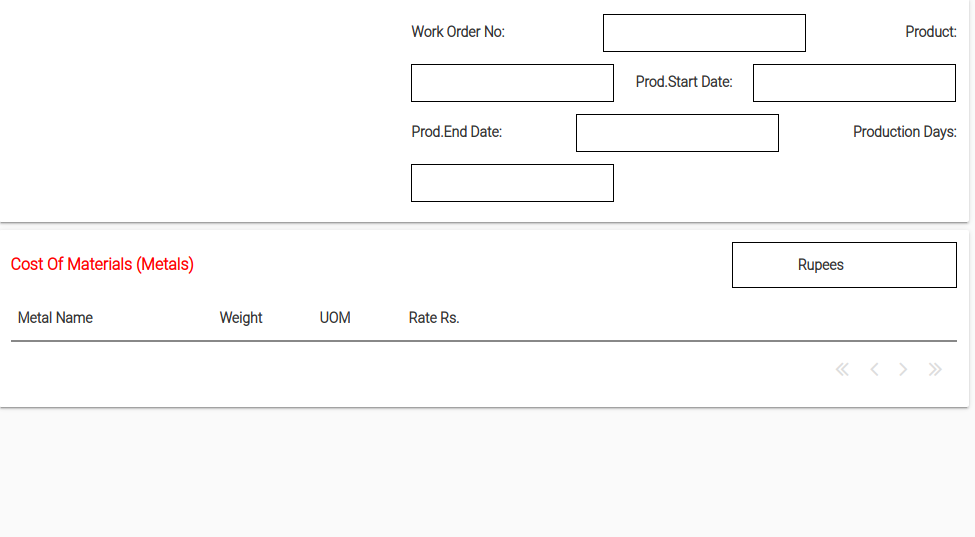
I have problems with my flow panel layout. When I run the app in browser. It looks like this
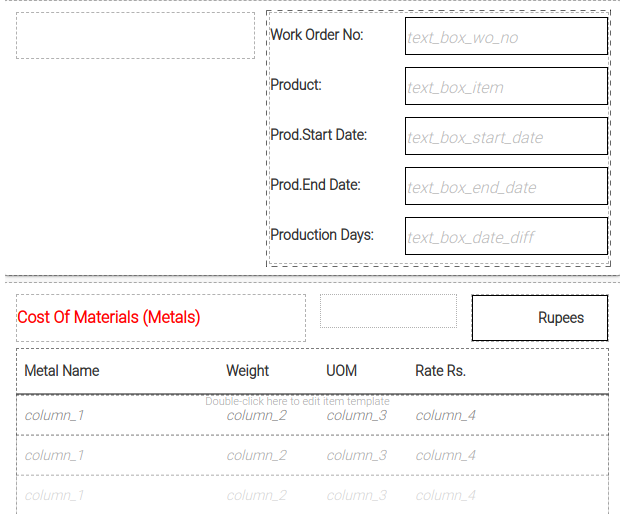
However in the editor my layout looks like this
Can you please tell me how can I fix this. Clearly some messed up html.
I have problems with my flow panel layout. When I run the app in browser. It looks like this
However in the editor my layout looks like this
Can you please tell me how can I fix this. Clearly some messed up html.
Hi,
not sure why the flow panel is doing that (I might need to see a clone of your project for that), but I would suggest that if you are going for the look you see in the IDE then a Column Panel might be better for you.
A flow panel is a little more fluid in its layout, so when the screen size changes (eg from dev view to run view) you can end up with slightly unpredictable results. A flow panel usually tries to put everything on one line, only dropping to the next one when it runs out of space. My guess is you have a combination if left and right justified components in the flow panel causing that odd effect, and it looks “right” in the IDE more from luck than judgement.
At least that’s my experience.
Thanks… Column panel fixed the problem. Yes I had left and right justified components.