Path to assets in root seems to be incorrect but utilizing proscribed path details

What I’m trying to do:
Access an asset on my server via PdfReader
What I’ve tried and what’s not working:
I get the following error:
PdfParseError: Could not read PDF file _/theme/xcc_template.pdf

  • at /home/anvil/.env/lib/python3.10/site-packages/pdfrw/pdfreader.py:572
  • called from ServerModule1, line 10
    I’ve tried /_/theme/xcc_template.pdf, theme/xcc_template.pdf, xcc_template.pdf and (the server path I get from the UI above _/theme/xcc_template.pdf

I also searched the forums here and it does seem that _/theme/xcc_template.pdf should be the correct path judging by other similar examples of assets in the root. I feel like I just gotta be missing something obvious but I’m stumped.
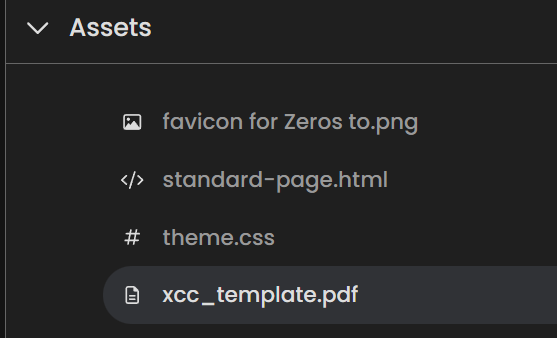
image

I also tried downloading and opening the PDF and it is a valid file when that didn’t work I then re-exported it from Adobe and re-uploaded the asset pdf.

Code Sample:

# this is a formatted code snippet.
# paste your code between ``` 
`@anvil.server.callable
def fill_xcc_pdf(characters):  # expects 4 characters
  from pdfrw import PdfReader, PdfWriter, PdfDict

  template = PdfReader("_/theme/xcc_template.pdf")

  # Map each character to PDF field names`

Clone link:

Novice coder here (obviously) and very new to Anvil. Thanks in advance for any guidance!

-Ray

Welcome to the Forum!

As I understand it, asset files are sent to the browser.

Regarding Files on Disk, server-side, all the examples there show a path beginning with /tmp/.

You might want to look at Anvil’s Data Files Service. This seems aimed at what you want: a file you can read, server-side.

2 Likes

Thank you sir! I see how this might be another path. I think my error was in assuming that an asset available to the browser and the internet writ large would be available to the code. Trying this other path with hope!! Thanks!!

You can get to files in assets from the server, too, but you need to have the full path, not the relative path, in my experience. Use get_app_origin to get the current root path to add to the relative path.

As Paul noted, the data files is also an excellent solution, since this file doesn’t need to be accessed on the client.

1 Like

Yes, this suggests a rule of thumb for where to put these auxiliary files.

  • If the Browser needs to see it, put it in Assets.
  • If the browser doesn’t need to see it, put it in the Data Files service.

Putting it in Assets, when the Browser does not need to see it, just wastes network and browser resources.

1 Like