Our email confirmation and password reset emails are coming from ‘accounts@xxxxxx.com’ and so they seem to be ending up in Spam or junk-mail folders frequently. How can I modify this From address and still use the out-of-the-box users service?
… because almost all of our clients are finding that the users service emails are going to junk mail, which makes the system look like it’s not working
- Set up a hosted e-mail service for your custom domain (Zoho, which is free, or Google, …)
- Add accounts@customdomain.tld as an e-mail address there
- Configure SPF and DKIM (these should lower the odds of getting triaged as junk e-mail)
- Enable the use of a custom SMTP server in Anvil [see image below]
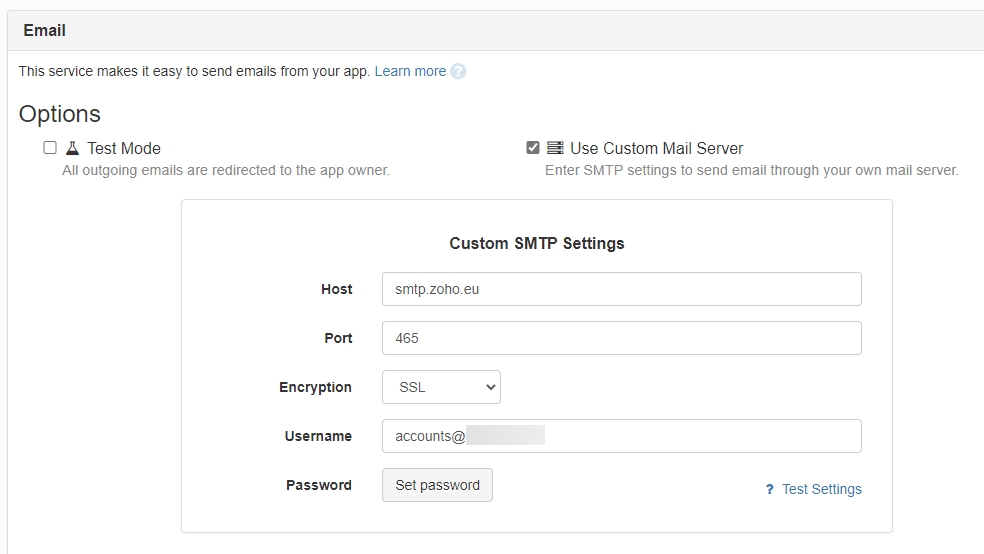
5 Likes
The guidance provided above not working. Does step 2 indicate that I have to actually add an email address named “accounts” in my domain mail system?
We use Google Cloud Platform. We have an email address/account set up specifically to send and receive emails from this Anvil app.
For the host, I enter smtp.gmail.com. The email settings for gmail indicate that SSL runs on port 465, as is shown in the example above. When I enter my email address in the username field (not… "accounts"@domain.com… enter a validated/verified passworkd, and test settings, the connection fails. nothing I do anywhere is working.
Any help appreciated - wasted almost all day trying and just getting failure
These are the settings indicated by my mail provider:
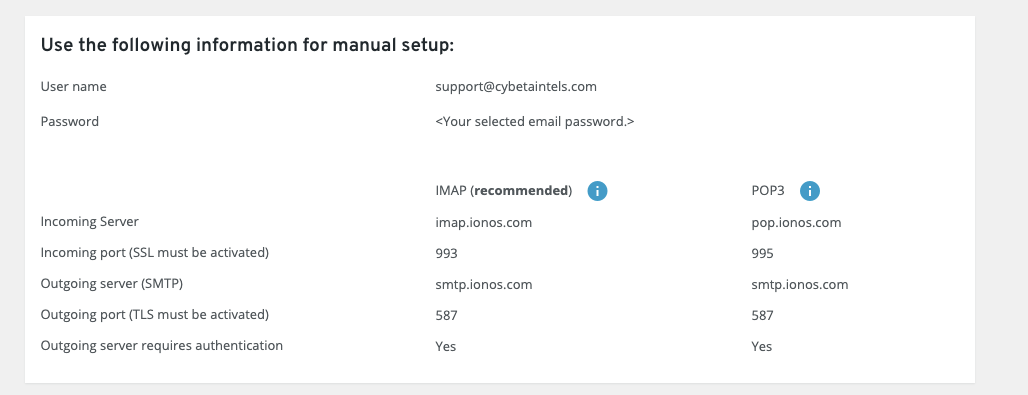
None of these settings seem to work from Anvil
Yes. All fields should correspond to that email address (accounts@domain.tld), namely the password. If you have 2FA on, you need to create an application password.
I have also tried using this account established in our Google Domain:
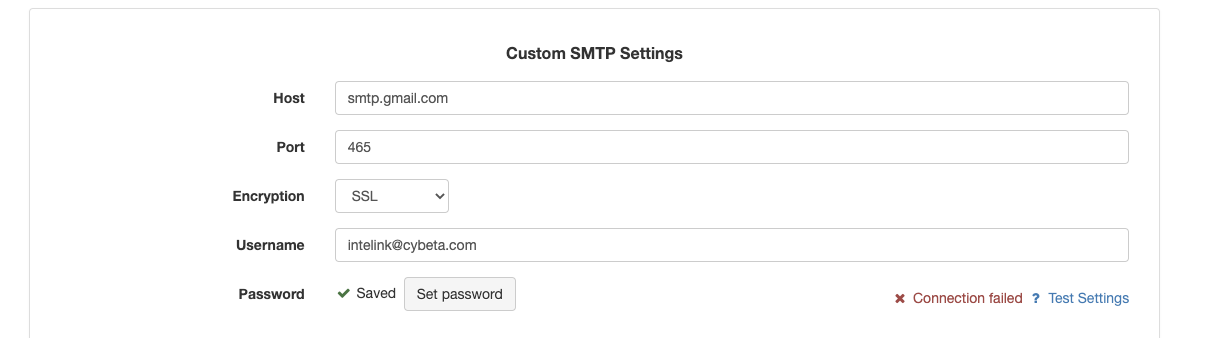
with smtp.gmail.com, port 465, etc., nothing
Still, you should be able to successfully connect to the SMTP server. On my end it works fine with Zoho, never tried it with Google. I bet it’s some silly configuration option you’re missing on Google’s side…
I’m able to configure and send just fine from a custom domain hosted on ionos… just not our corporate email on Google Cloud Platform. Agree that it is a configuration issue on the GCP side, which I am not going to wrestle with. It works fine on my ionos mail server.
In case anyone else runs up against this trying to set smtp.gmail.com and TLS with the Use Custom Mail Server, after you enter your Google sending username (eg “myapp@anvilfans.com”) and its password in the Anvil settings page and “Test the connection”, you then have to log into that Google Account and go to that account’s Security settings in the profile and Turn On “Allow Less Secure Apps”. Once you have made that change in the Google Account settings, it will work right away.
4 Likes