Feedback form - how to get input components on same line as labels?

What I’m trying to do:

Follow step 5 of Anvil | Build your user interface and get the Text Box input components on the same line as their labels

What I’ve tried and what’s not working:

I’ve dragged the Text Box over on the same line as the label. this leads to the Text Box being BELOW the label instead of to the right of the label as we see in the tutorial.
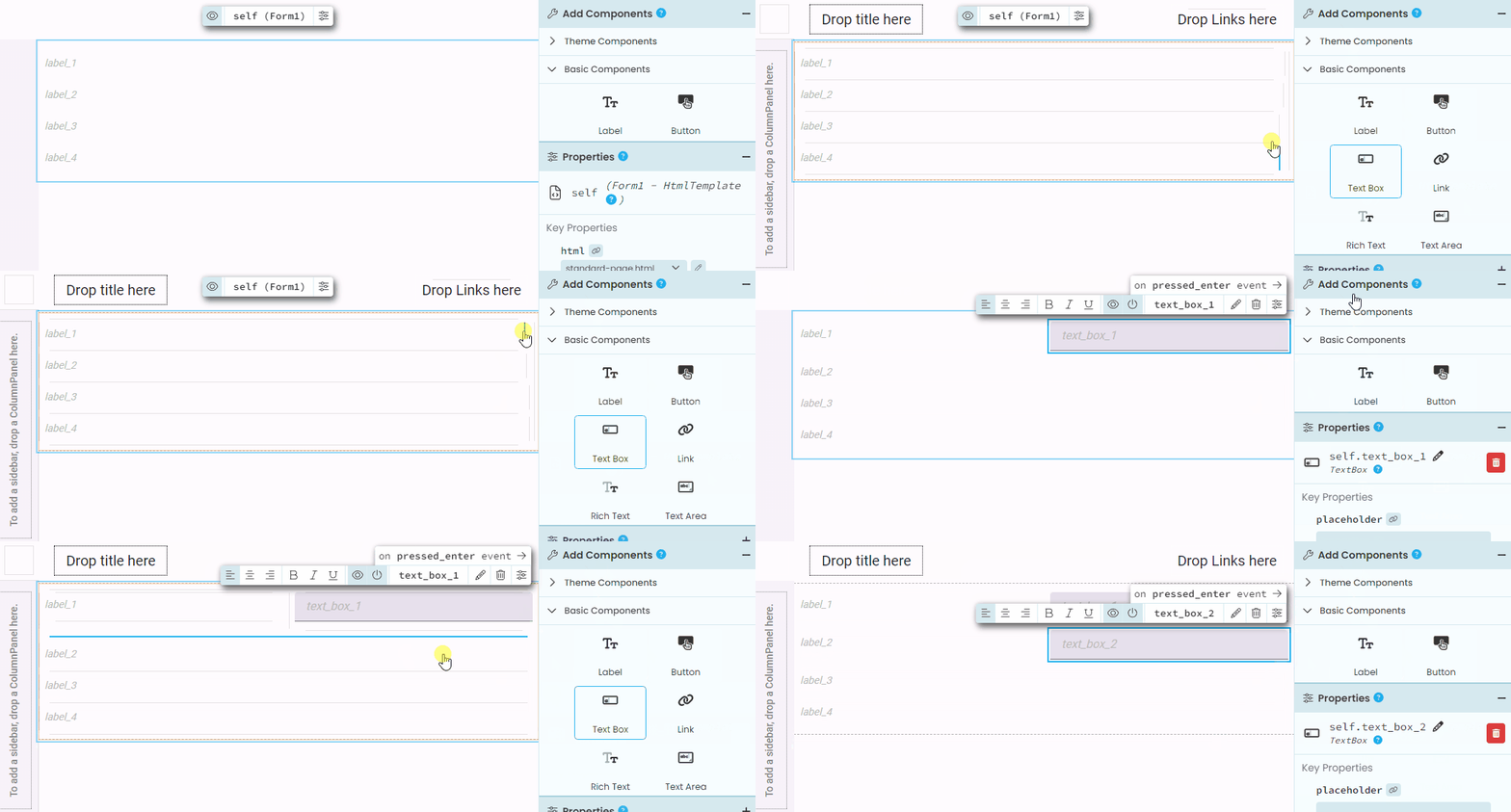
With the new IDE you get way more control over exactly where you place components, but as a result the behavior doesn’t match the old tutorials. Here’s an animation showing where to drop the text box to get the same behavior:

TextBoxPlacement

Look for the blue lines, they’re the guides on where the new component will be dropped.

3 Likes