Hello,
new to Anvil.
I would like Anvil to use 100% of the available width for my content.
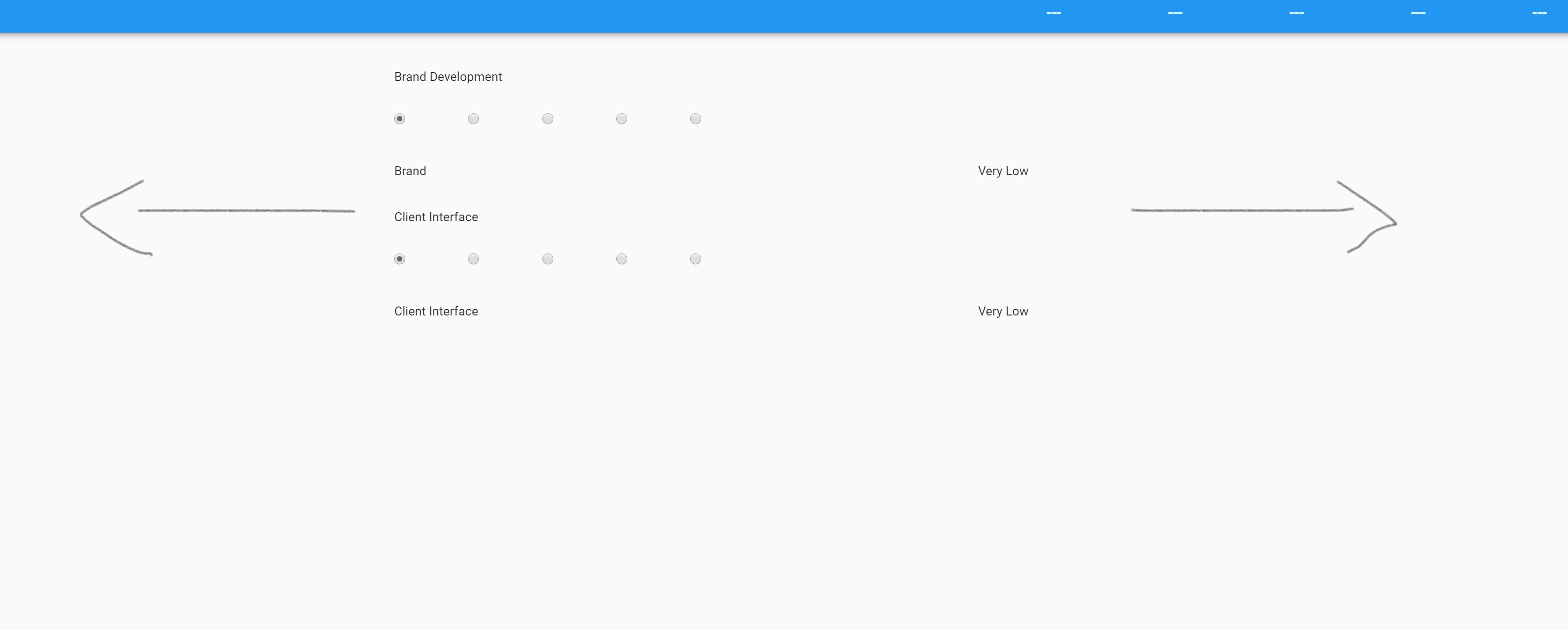
What shall I do?
Not sure if I should edit in theme.css or standard-page.html and which component (if any)?
All the best,
Giacomo
Hello,
new to Anvil.
I would like Anvil to use 100% of the available width for my content.
What shall I do?
Not sure if I should edit in theme.css or standard-page.html and which component (if any)?
All the best,
Giacomo
Welcome to Anvil.
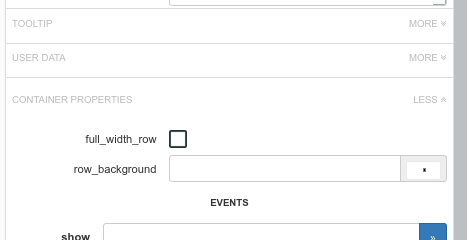
If you put a component on the form, then look at its properties on the right hand side of the IDE, you will see towards the bottom under “Container Properties” a checkbox that says “full_width_row” (you may have to expand the container properties to see it). Check that and the component will occupy the full width.
You will need to do that to any containing panels as well as the components within.
Thanks, I managed to do that. It is quite complicated, though.
I wonder why the function is not available directly at “panel” level.
I had to create a component with a row panel, activate full_width, insert a column panel and again a row panel and then plug it in the page…