 By
By Introducing Faster Storage
We’re launching a major speed boost for Data Tables. Our new storage engine for Data Tables, called Faster Storage, substantially improve performance when searching through Data Tables and updating, adding or deleting rows.
Once you switch on Faster Storage, every new table you create will use the new storage engine. You can turn it on in Data Tables settings:
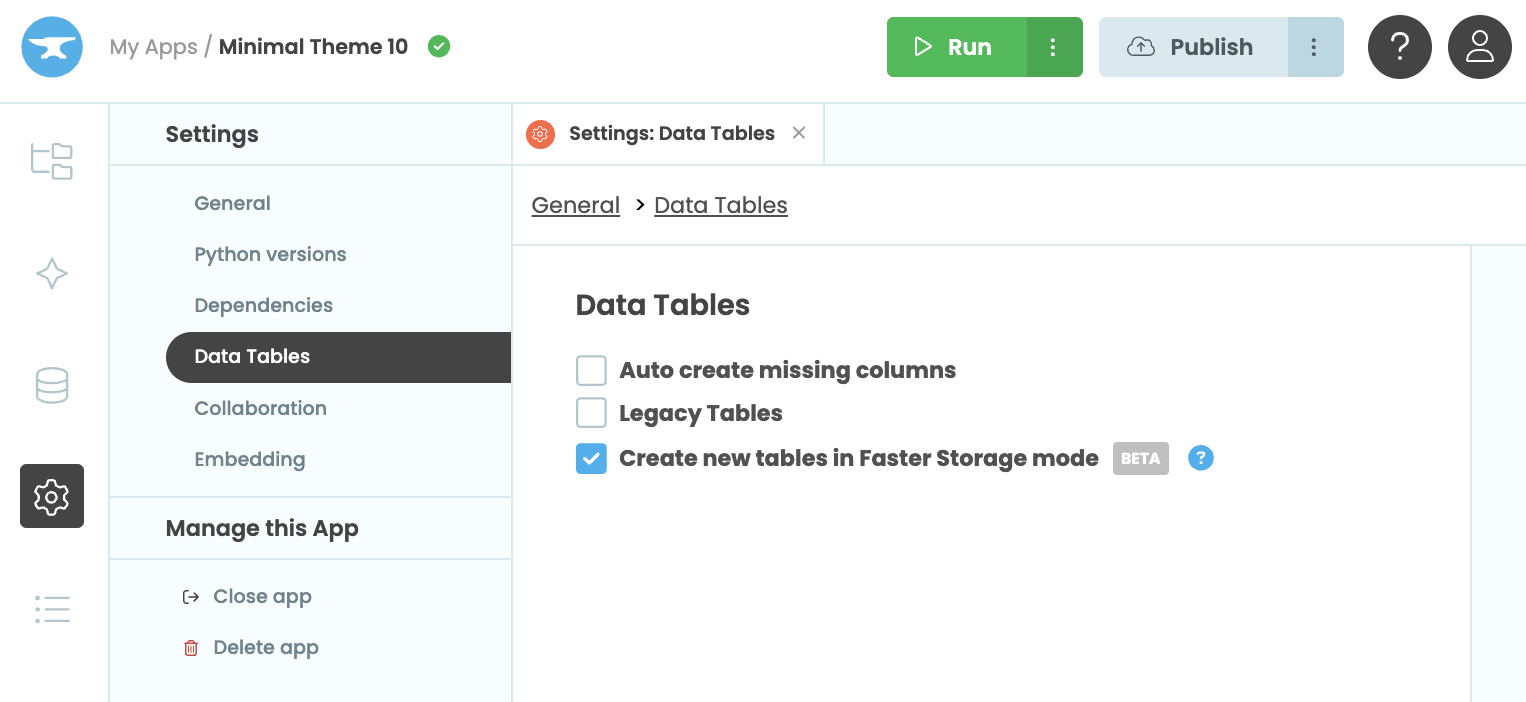
If you want to move an existing app to Faster Storage, you’ll need to clone your database to copy the data into new tables that use the new storage engine. For more help getting started, check out our walkthrough in the docs.
Let’s look at the benefits!
Speed up your Data Tables
Data Tables using Faster Storage operate much, much faster. We’ve moved away from a generic “no-SQL” architecture, and each Faster Storage table is now backed by a single Postgres table. Some customers have reported speed increased of over 100x on difficult queries with complex relations!
Go even faster with Custom Indexing
Faster Storage also comes with Custom Indexing for Business customers and up.
Indexing lets you pre-compute common queries, giving you near-instant access to your data and faster sorting. (For example, if you always search or sort your People table by name, an index on your). Whereas the old storage machinery indexed everything, which came with performance penalties for larger tables and write-heavy workloads, Faster Storage allows you to control these indexes explicitly. This will particularly benefit larger tables with frequent queries.
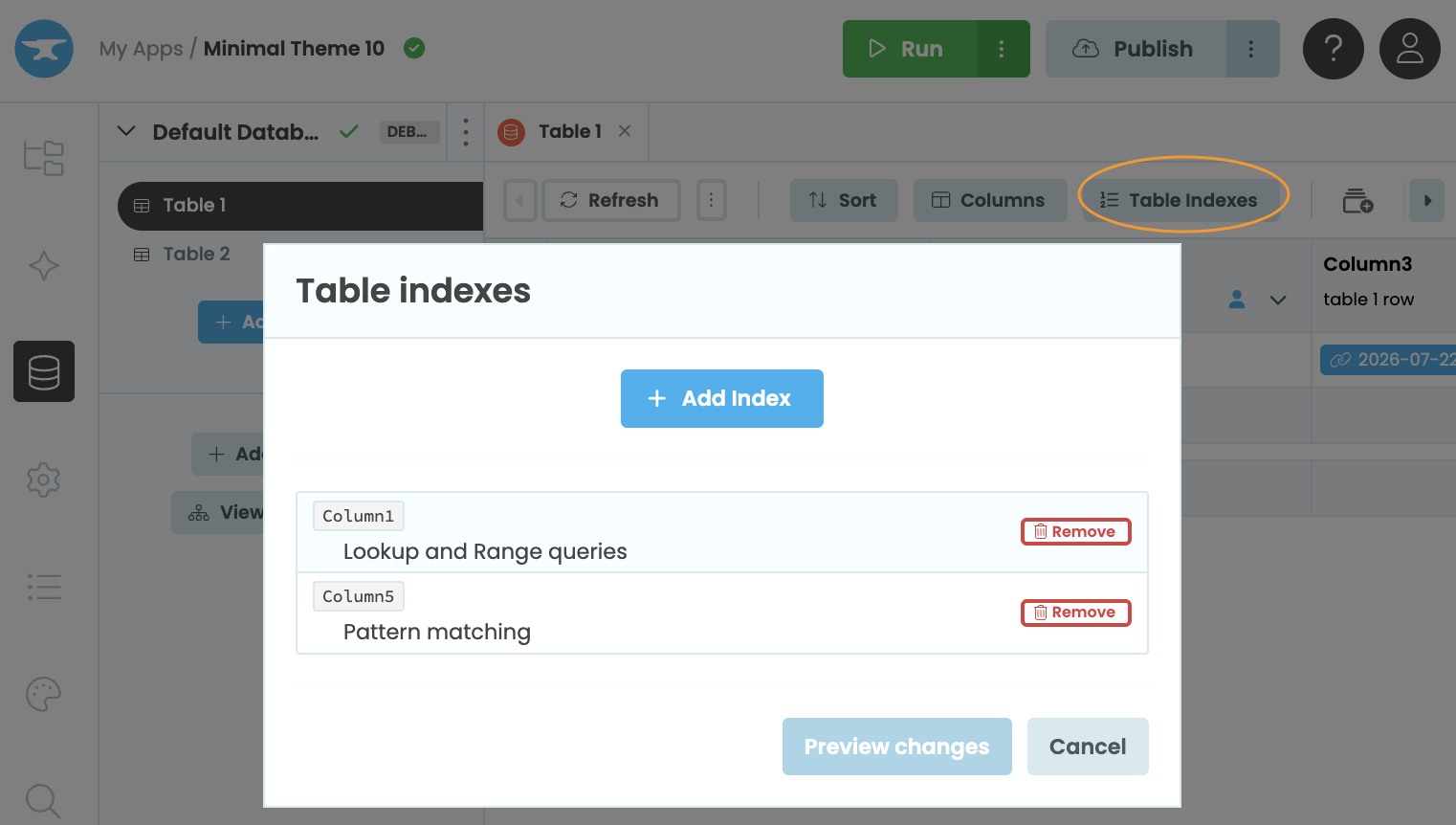
You can find more information on Custom Indexing and what you can do with it in our docs.
Choosing referential integrity
Faster storage also gives you more control over Data Tables when columns are deleted. If your Data Table has a column that links to a row from another Data Table, you can now configure what happens when that column is deleted.
Learn more about configuring link columns in our documentation.
More about Anvil
Excited to get started with our new faster Data Tables? All the information you need can be found in our documentation.
If you’re new here, welcome! Anvil is a platform for building full-stack web apps with nothing but Python. No need to wrestle with JS, HTML, CSS, Python, SQL and all their frameworks – just build it all in Python.
Want to build an app of your own? Get started with one of our tutorials:
Build Database-Backed Apps
Build a Simple Feedback Form
Build a Simple Feedback Form
Build a data-entry app, and learn the techniques fundamental to building any Anvil app. In this tutorial, you will:
- Build your User Interface
- Write client-side Python
- Write server-side Python
- Store data in a database
- Deploy your app