

Adding Assets
Assets are files that are part of your app’s source code, such as CSS files, JavaScript, or images. They’re primarily used to customise your app’s Theme or inject your own JavaScript objects.
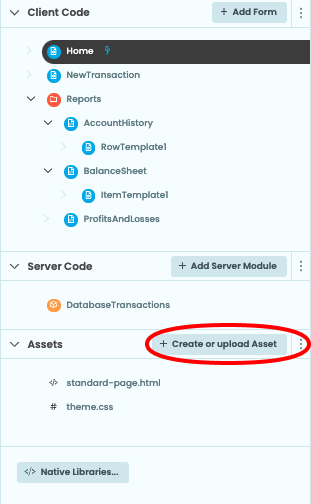
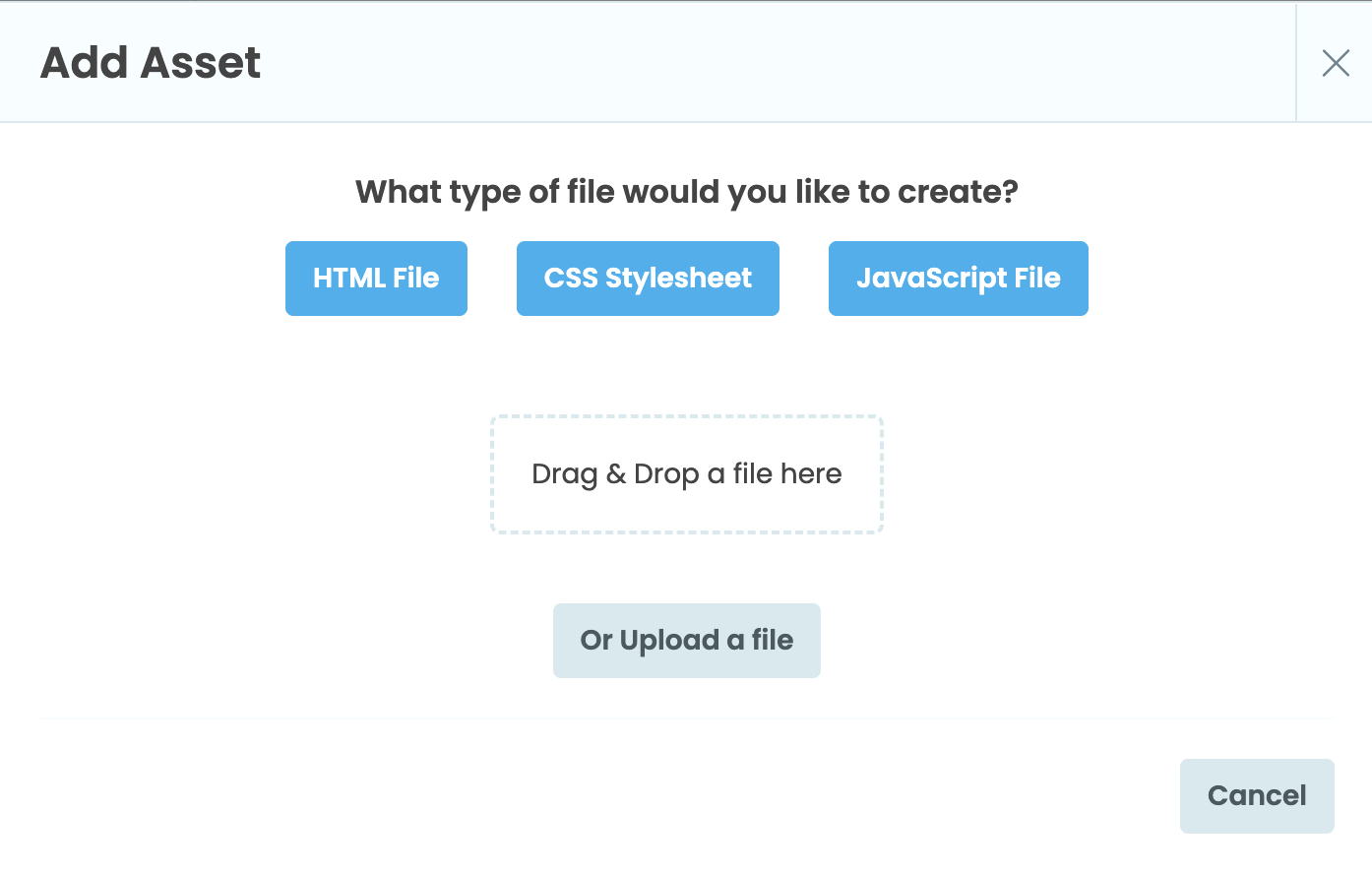
To upload or create a file, click on Create or upload Asset under “Assets” in the App Browser. This will bring up a menu for creating or uploading new Assets.
Most assets are lazily loaded when running the app, except for html files and the theme.css file, which are eagerly loaded.
Asset file URL
You can access Asset files from your app from _/theme/<filename>.
This allows you do things like setting your asset as the source property of an Image component:

Or call a custom script from an HTML file:
<script type="text/javascript" src="_/theme/custom.js"></script>You can also use the full URL of the Asset file – they are hosted at <your-app-url>/_/theme/<filename>. So if you have an asset named earthrise.jpg in an app published at myapp.anvil.app, your file is hosted at https://myapp.anvil.app/_/theme/earthrise.jpg.
Do you still have questions?
Our Community Forum is full of helpful information and Anvil experts.