You don’t need to do all that for the Grid widget. Just select ‘Add Columns From Data Table’ in the grid properties (click ‘Remove Column’ for each of the default columns), and put this line in your init method:
self.repeating_panel_1.items=app_tables.table_0.search()
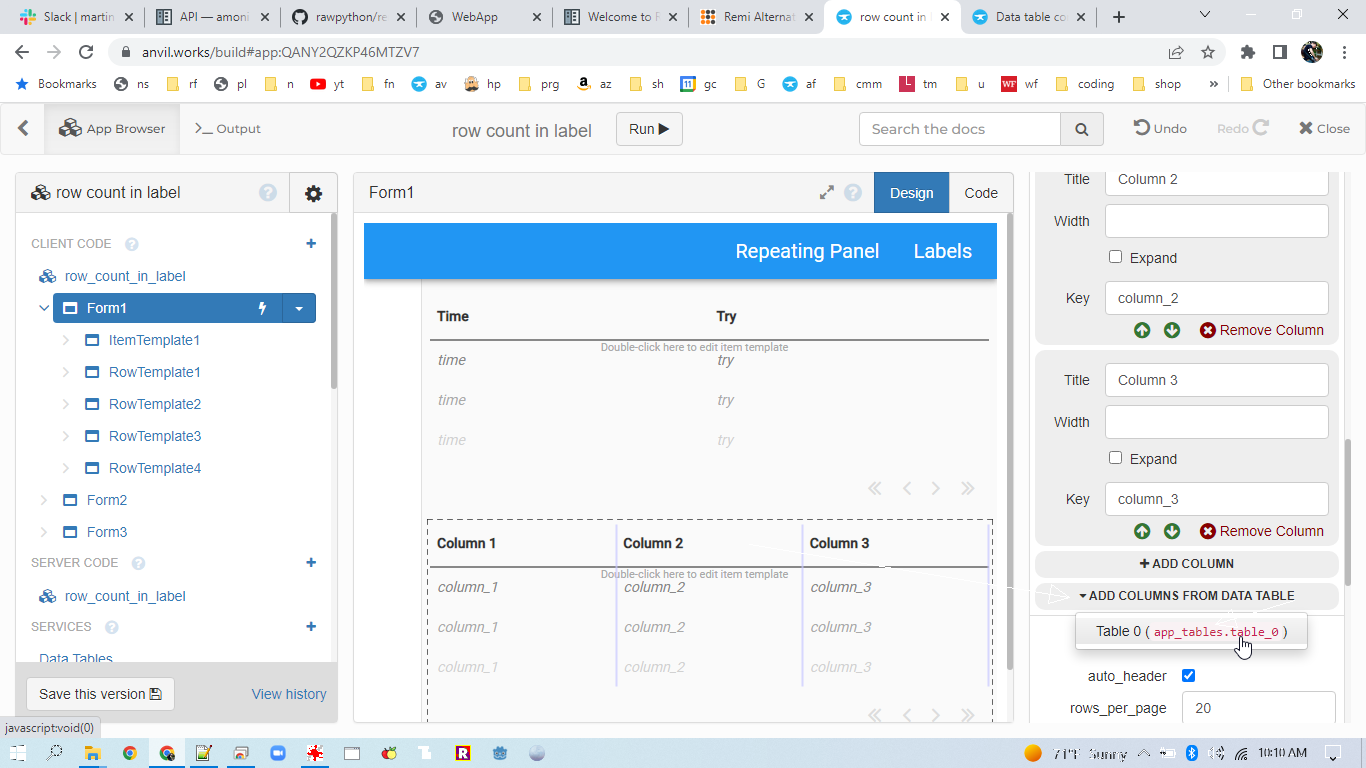
If you want to add your own custom widgets to the repeating panel in the grid, just be sure to bind them to a designated row of your data table:
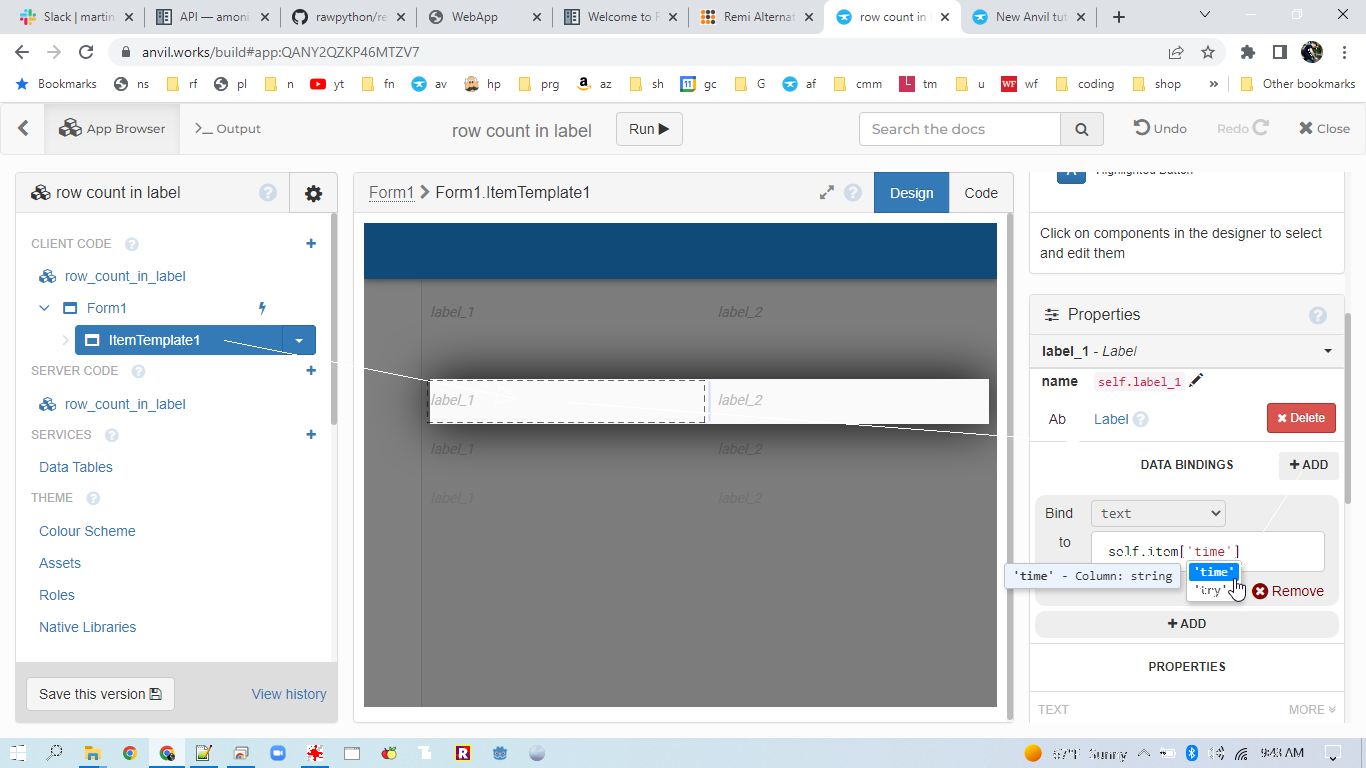
Note that if you add widgets that allow you to edit values (such as text fields), and select the ‘write back’ option, changes made in the user interface will be saved back to the data table.
https://anvil.works/build#clone:QANY2QZKP46MTZV7=IFYRYJS7VMFAKGRS4IGJUQYP