

Quickstart: Creating HTTP endpoints
Put an HTTP API on your app
Anvil lets you set up HTTP endpoints with very little code.
Follow this quickstart to create an HTTP endpoint that extracts two variables from the path and creates a response dynamically based on their values.
Create an app
Log in to Anvil and click ‘New Blank App’. Choose the Material Design theme.
Add a Server Module
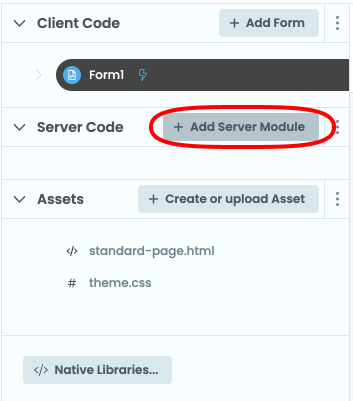
In the App Browser, click “+ Add Server Module” next to Server Code to add a new Server Module.
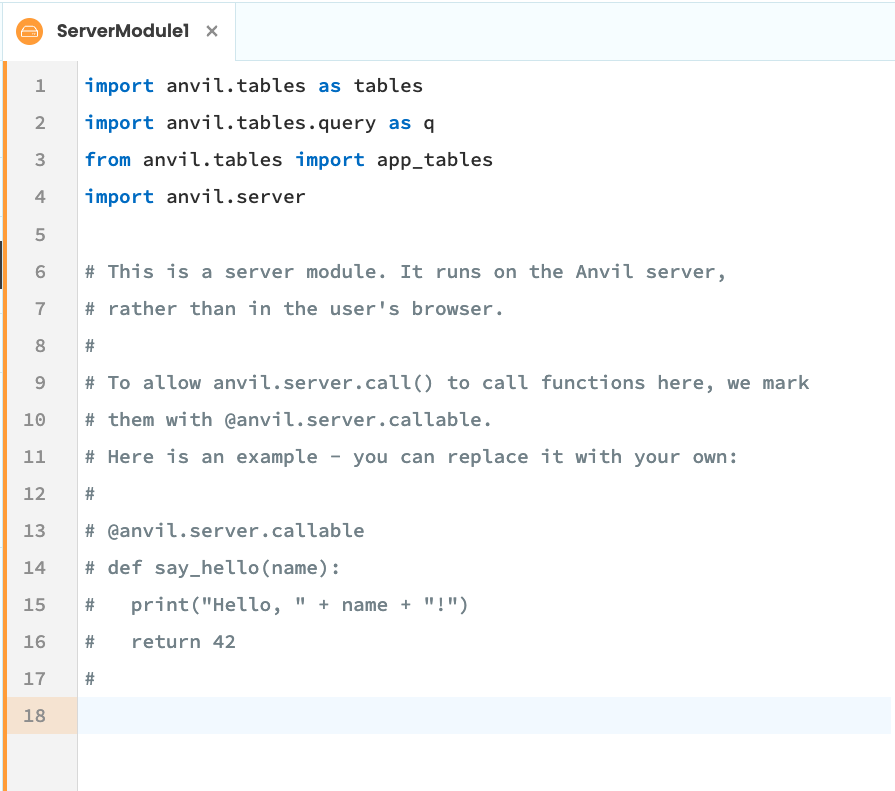
A new tab will open with a code editor with an orange border.
Create an HTTP endpoint
Write this function:
def add_numbers(a, b):
  a = int(a)
  b = int(b)
  return {
    'originals': [a, b],
    'sum': a + b,
  }
It takes two numbers and returns a data structure containing their sum.
Above this function, write @anvil.server.route('/add/:a/:b'):
@anvil.server.route('/add/:a/:b')
def add_numbers(a, b):
  a = int(a)
  b = int(b)
  return {
    'originals': [a, b],
    'sum': a + b,
  }
Access your HTTP endpoint
Click the endpoint icon at the bottom right of your Server Module to see its address.
If you haven’t published your app yet, the panel prompts you to publish it:

Once you’ve published your app, the panel shows the URL for your routes:

Use the copy button to copy the base URL, then append /add/32/10. For my app that would be:
https://tepid-optimal-brain.anvil.app/add/32/10
Open a new browser tab and access that URL. You should see this response:
{"sum":42,"originals":[32,10]}
Pass in different numbers to get a different answer:
https://tepid-optimal-brain.anvil.app/add/1/3
This time the response is:
{"sum":4,"originals":[1,3]}
(To set up a nicer URL for your API, see deployment.)
Copy the example app
Click on the button below to clone a finished version of this app into your account.
Next up
Want more depth on this subject?
Read more about HTTP APIs and requests in Anvil.
Want another quickstart?
Every quickstart is on the Quickstarts page.
Do you still have questions?
Our Community Forum is full of helpful information and Anvil experts.